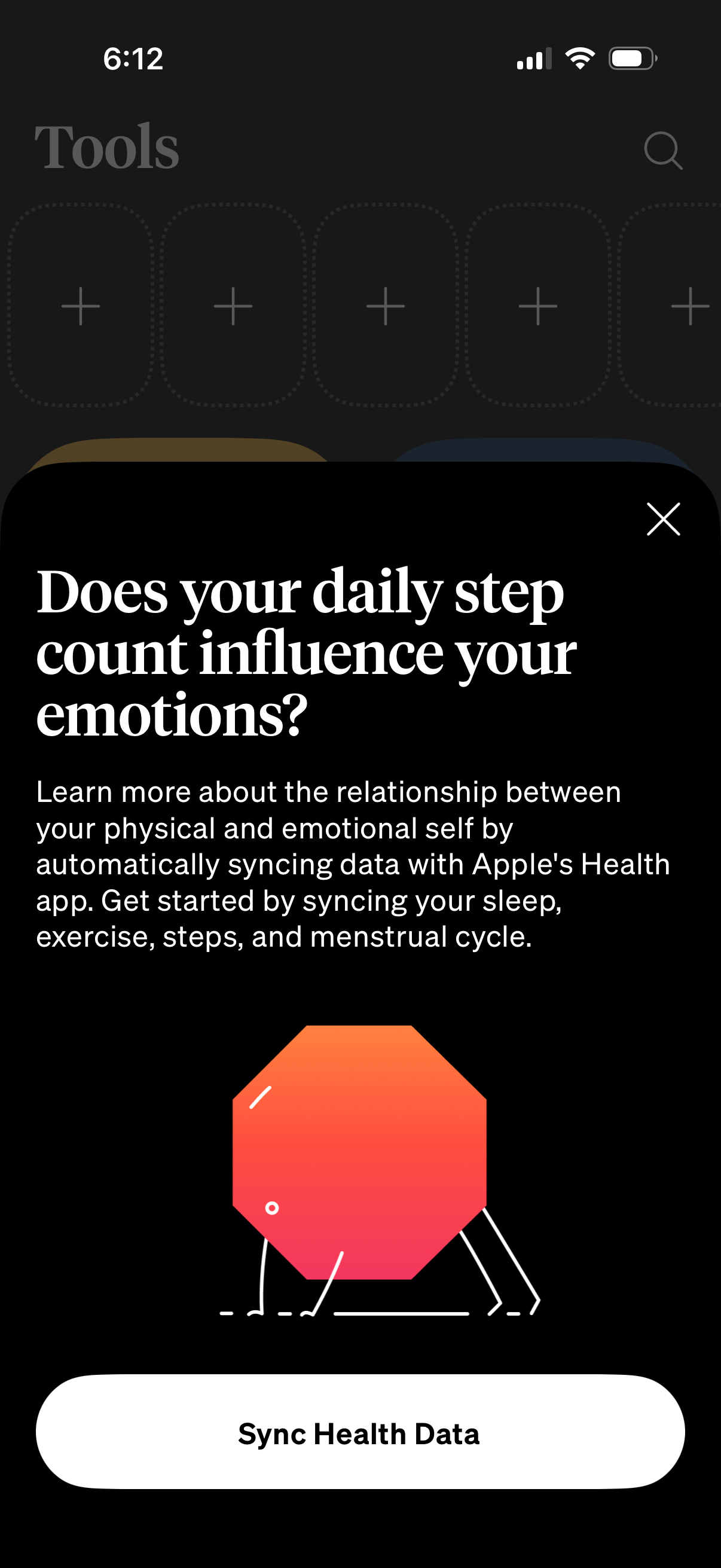
Onboarding modal prompting users to connect Apple Health to explore how daily step count affects emotions, explaining automatic syncing of sleep, exercise, steps, and menstrual cycle data. Includes a primary “Sync Health Data” call-to-action and a close (X) button over a tools dashboard.

Settings screen for managing health and location data permissions, letting users control what data the app collects. Includes a location-based Weather toggle and Apple Health integrations with an “Import data” action plus individual toggles for Sleep, Exercise, Meditation, and Steps.
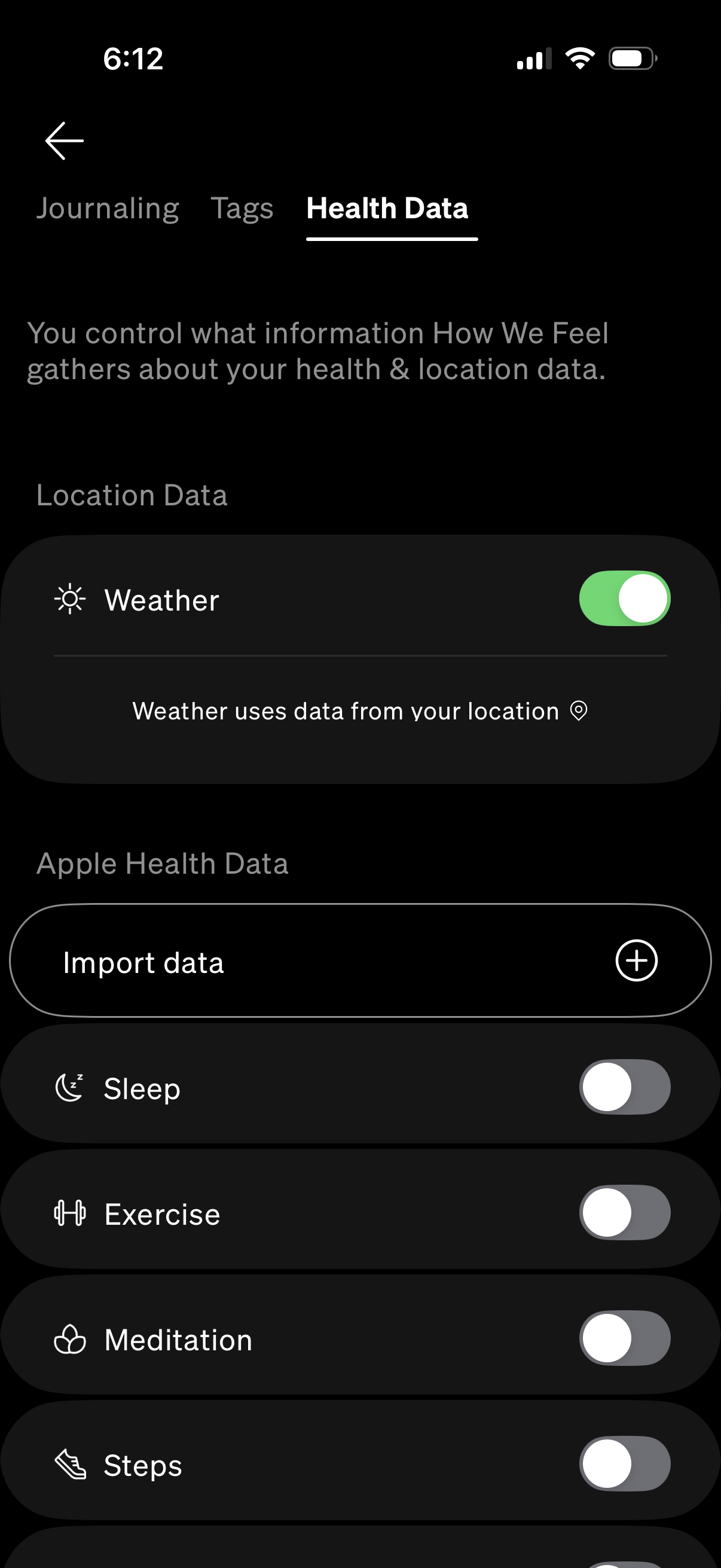
Settings screen for managing privacy and data permissions in a wellness app, showing toggles for using location-based weather and connecting to Apple Health data. Users can import health data and enable or disable access to metrics like sleep, exercise, meditation, and steps.
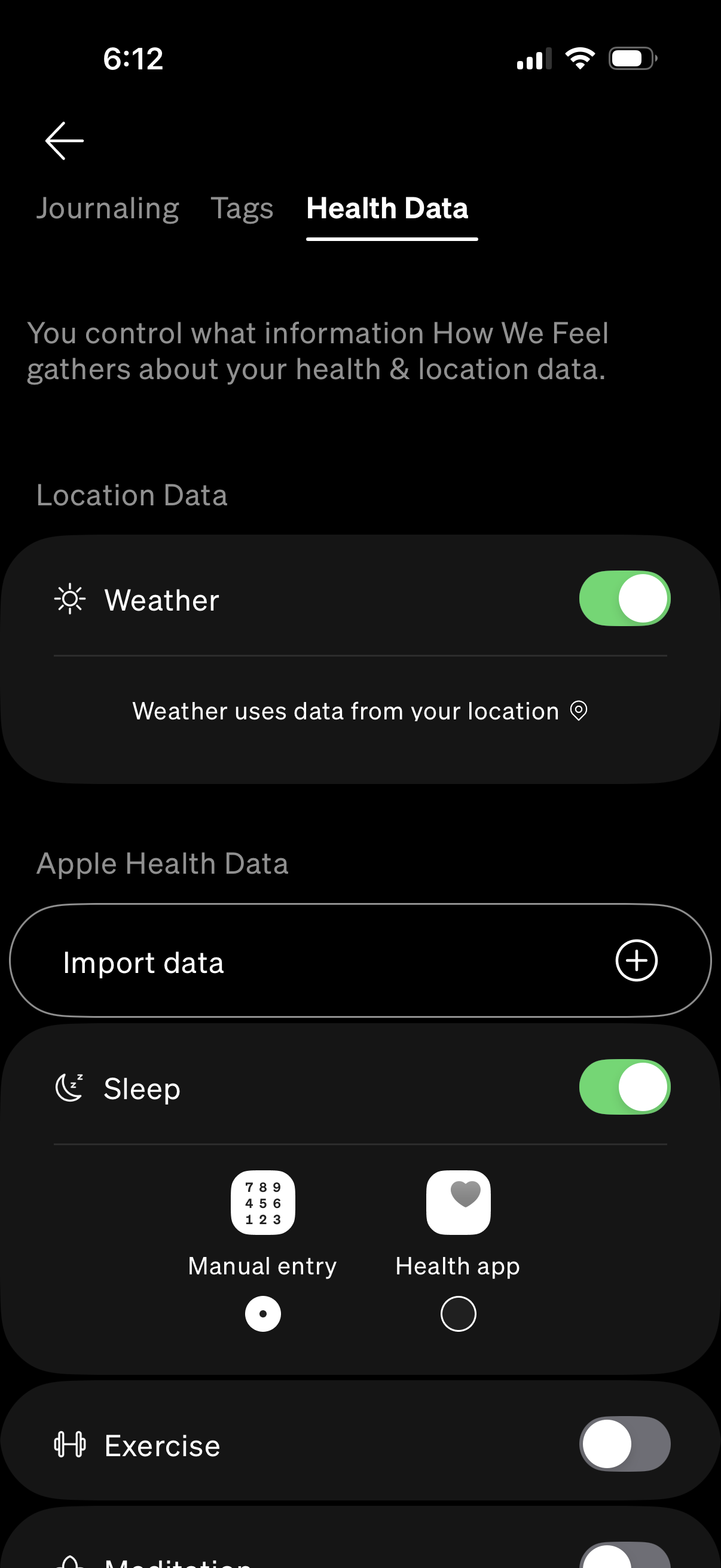
Health data settings screen that lets users control what the app collects from location and Apple Health, with toggles for permissions like Weather location usage and health metrics such as Sleep and Exercise. Includes an “Import data” action to connect or pull data from the Health app and choose between manual entry or Health app sources for specific categories.

iOS Health Access permission screen asking to allow an app to access and update Apple Health data. Includes a “Turn On All” option, individual category toggles (e.
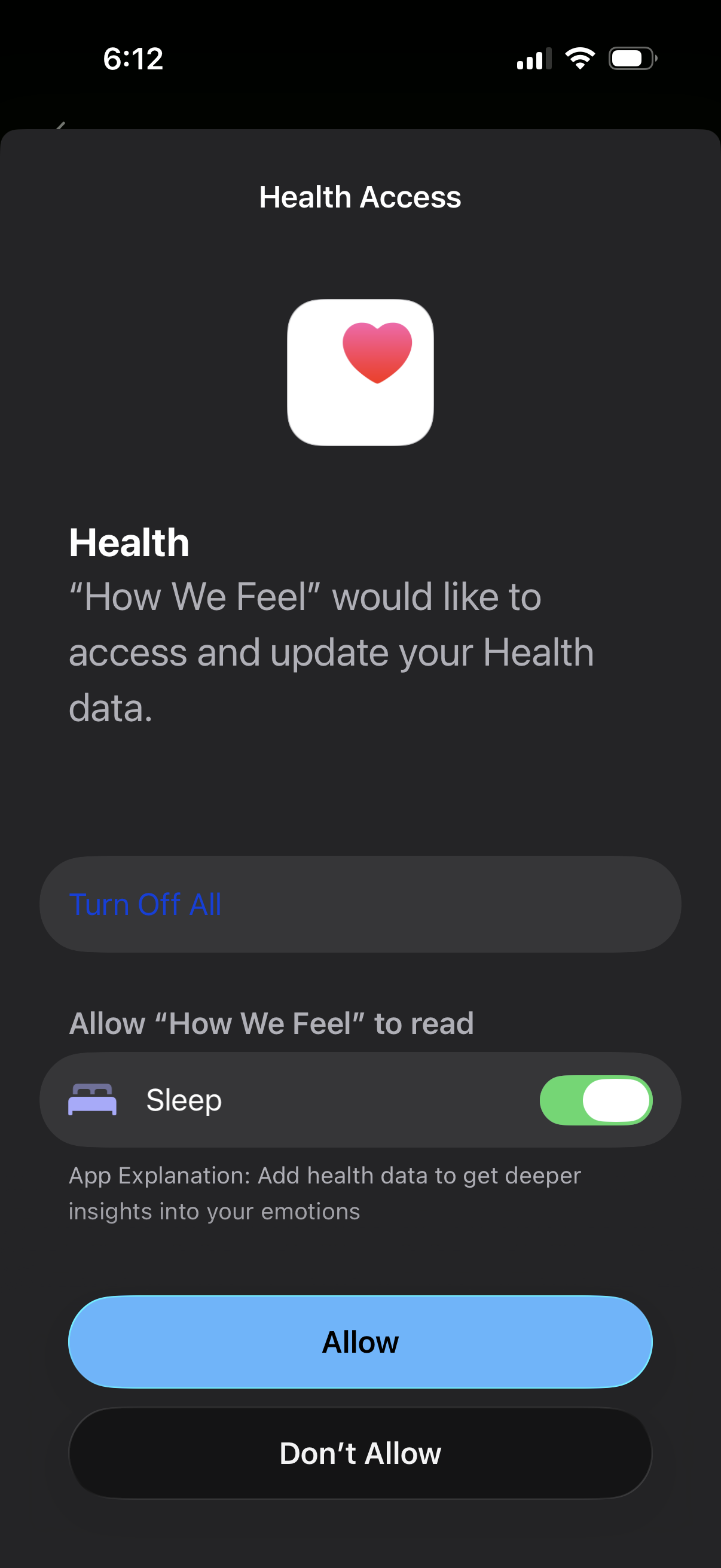
iOS Health Access permission screen asking to allow a third-party app to read and update Apple Health data, with a toggle for specific categories like Sleep and an explanation of why access is needed. Primary actions include Turn Off All, Allow, and Don’t Allow to control health data sharing.
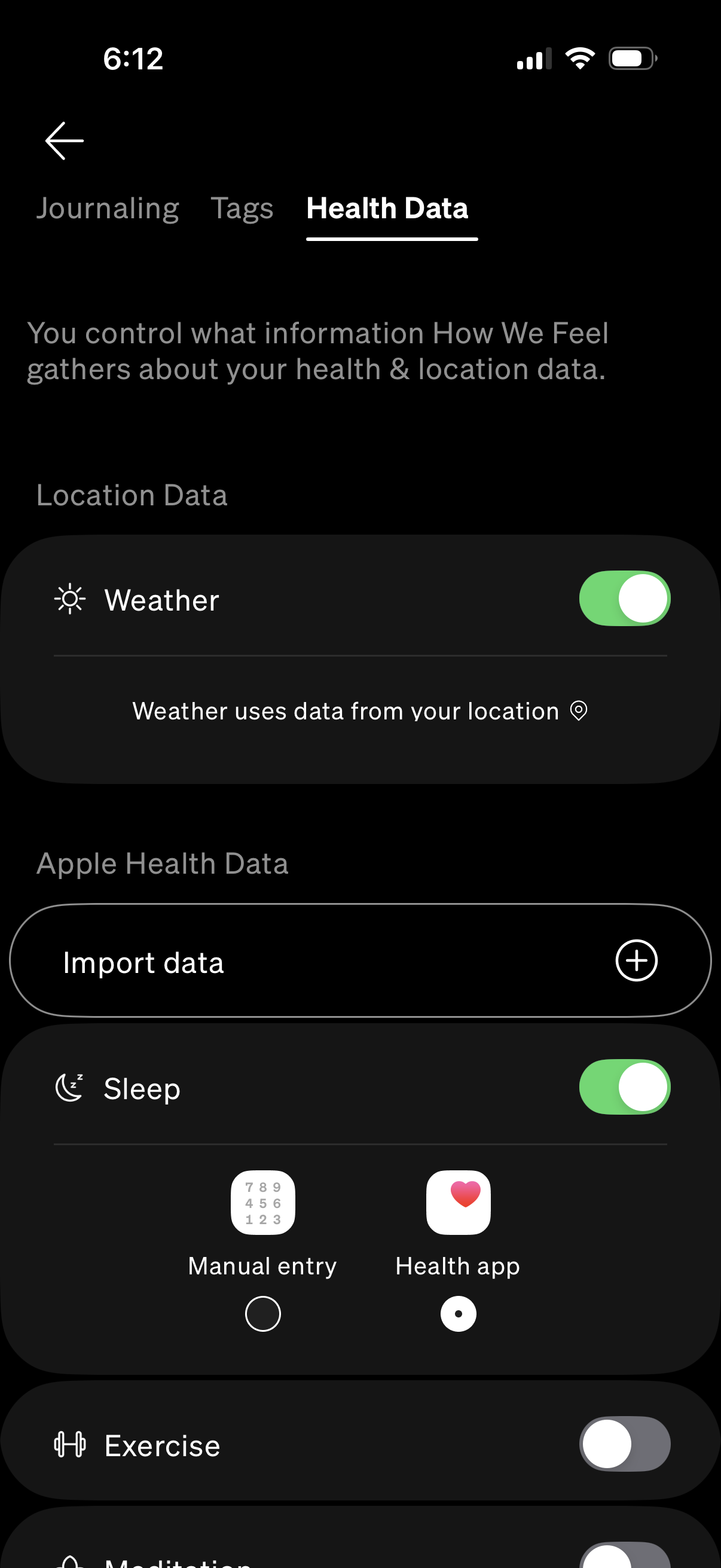
Health data settings screen where users control what information the app gathers, including location-based Weather access and Apple Health data imports. Includes an “Import data” action and individual toggles for syncing categories like Sleep (with source options such as manual entry or Health app) and Exercise.
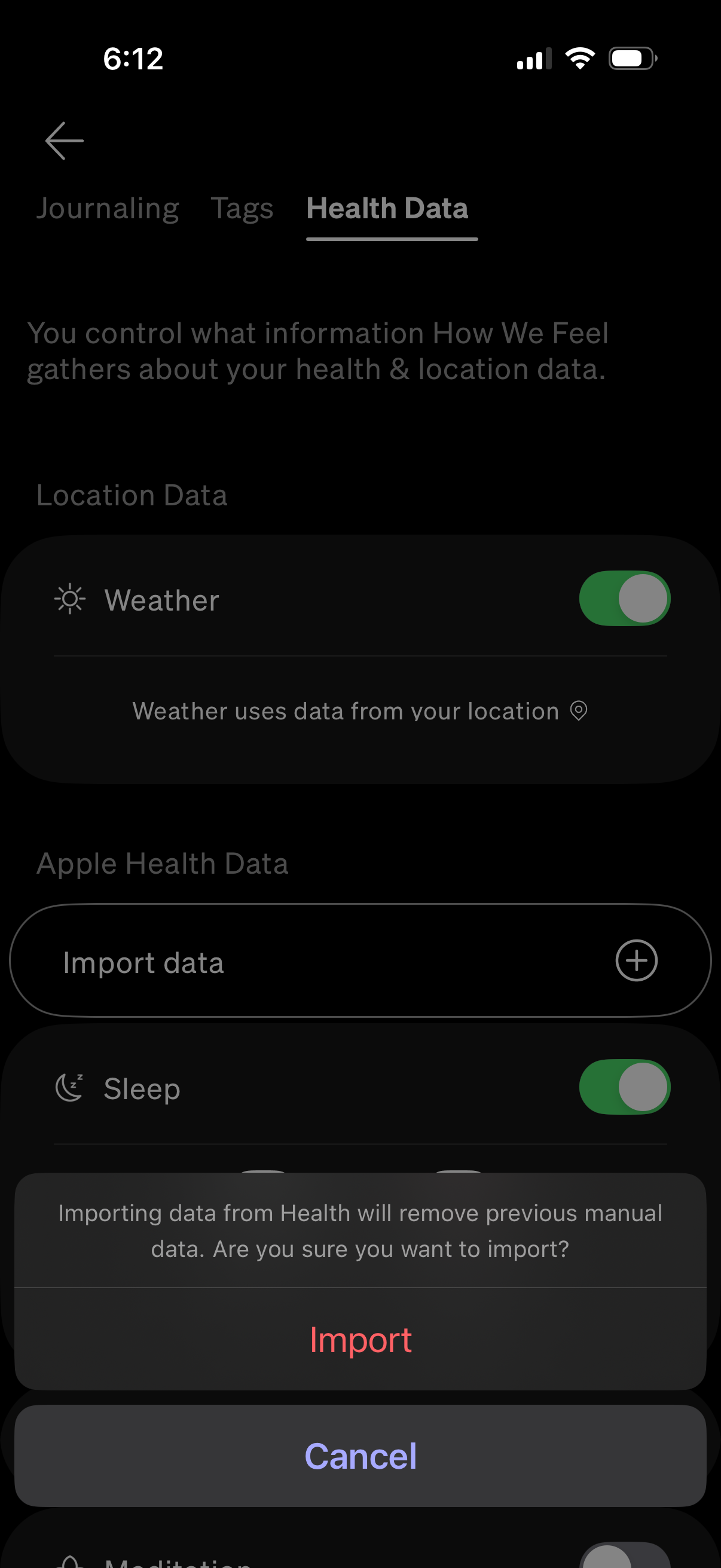
Health data settings screen where users manage what health and location information the app can access, including toggles for location-based Weather and Apple Health metrics like Sleep. An “Import data” action triggers a confirmation modal warning that importing from Apple Health will overwrite previous manual entries, with Import and Cancel options.
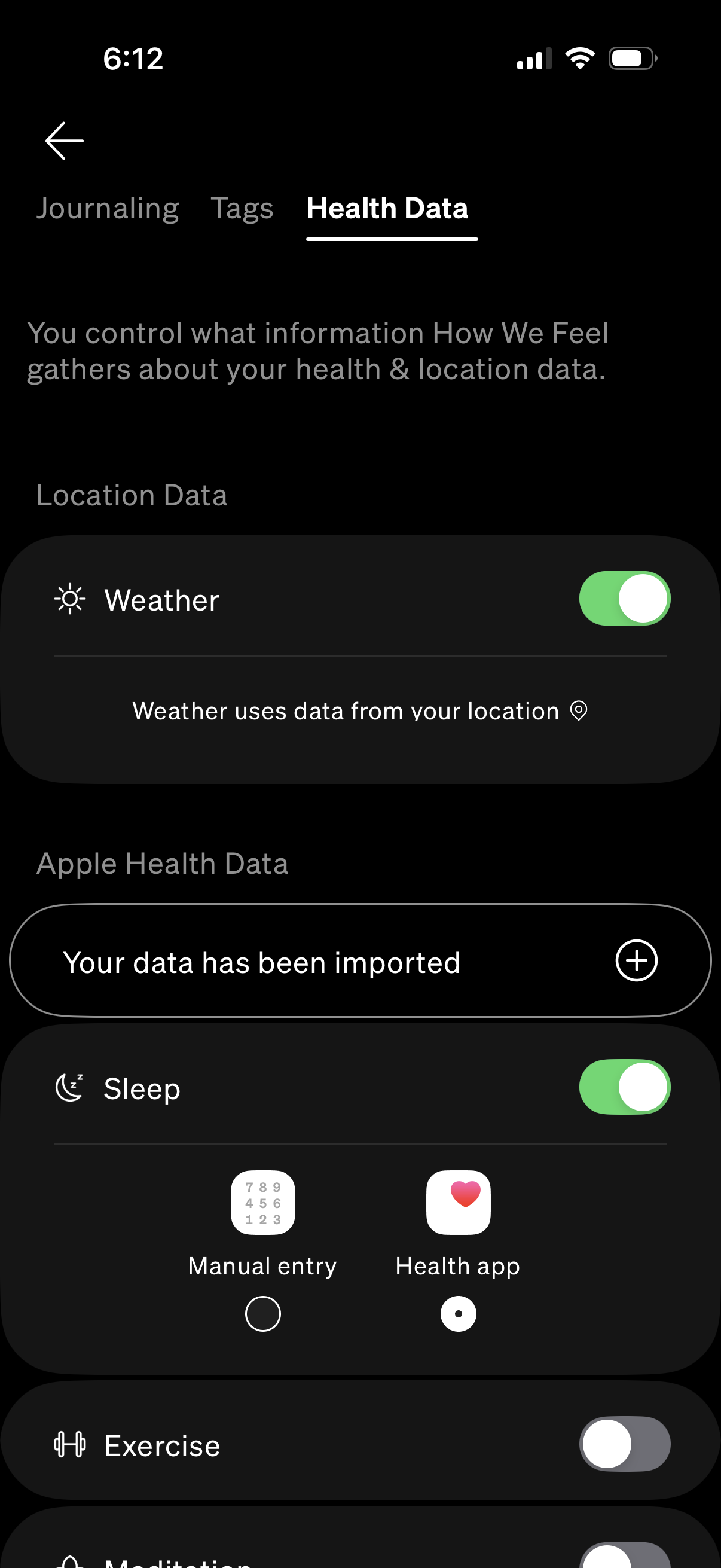
Health Data settings screen for a wellness app where users manage privacy permissions and data sources, including a toggle for using location data for weather. It also shows imported Apple Health data with toggles to enable categories like Sleep and an option to add/connect more health metrics.