Sign Up

Welcome/login landing screen for a workplace video conferencing app with primary actions to Sign in, Sign up, or Join meeting, plus a settings icon for configuration. Designed as an onboarding entry point to get started with an account or quickly enter a meeting.
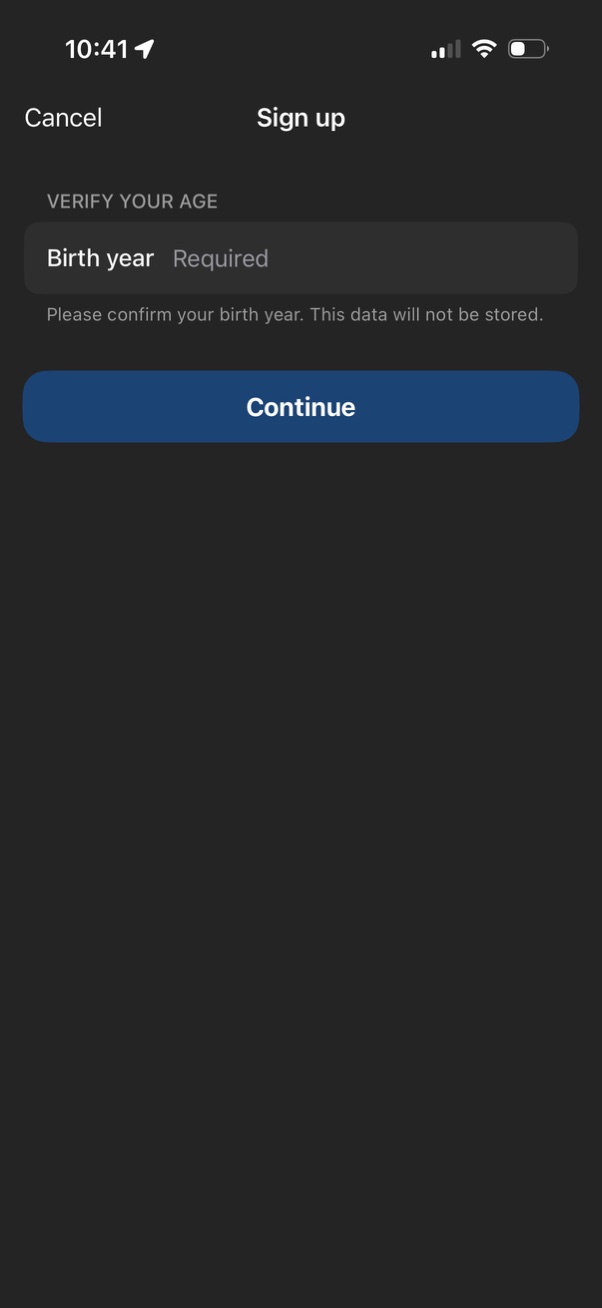
Sign up screen prompting users to verify their age by entering a required birth year, with supporting privacy note that the data won’t be stored. Primary action is a large “Continue” button, with a “Cancel” option in the header.

Sign up screen that asks the user to enter an email address and tap Continue, with links to the privacy statement and terms of service. Offers alternative registration methods via single sign-on (SSO) and social login buttons for Apple, Google, Facebook, and Microsoft.

Email sign-up screen with an email input field, a primary Continue button, and links to privacy statement and terms, plus social sign-in options (Google, Facebook, Microsoft). An iOS permission modal prompts to allow using the zoom.
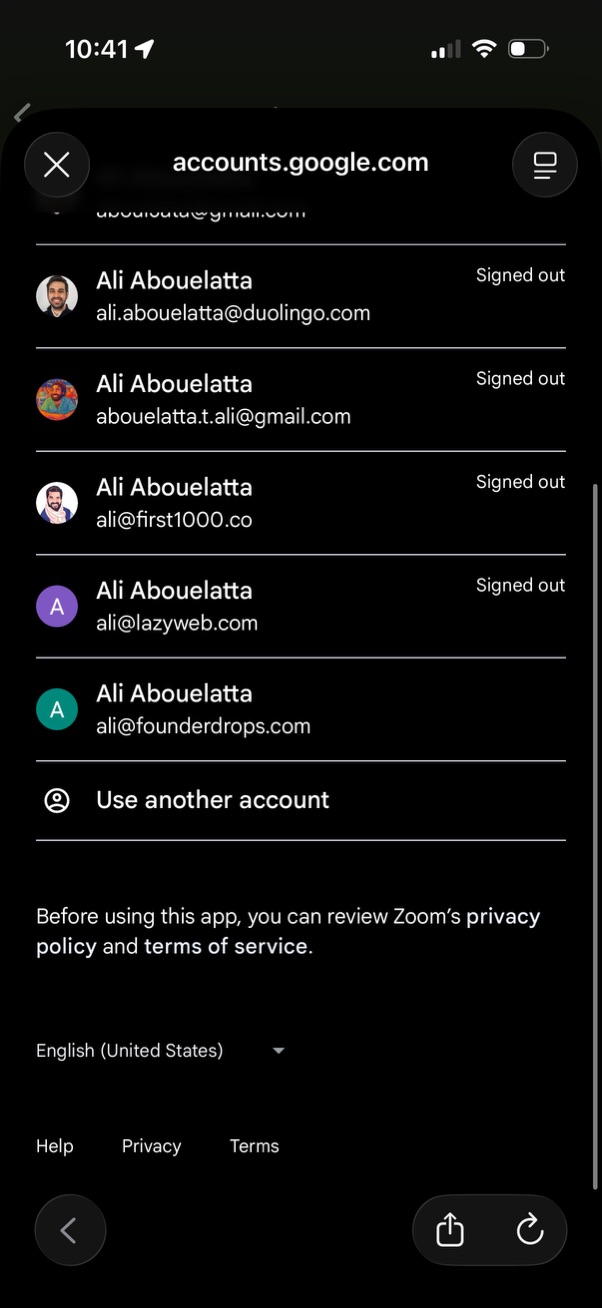
Google account chooser screen for signing in to an app, showing a list of saved accounts with avatars, email addresses, and “signed out” status. Includes the primary action to select an existing account or tap “Use another account,” with links to privacy policy/terms and language selection.
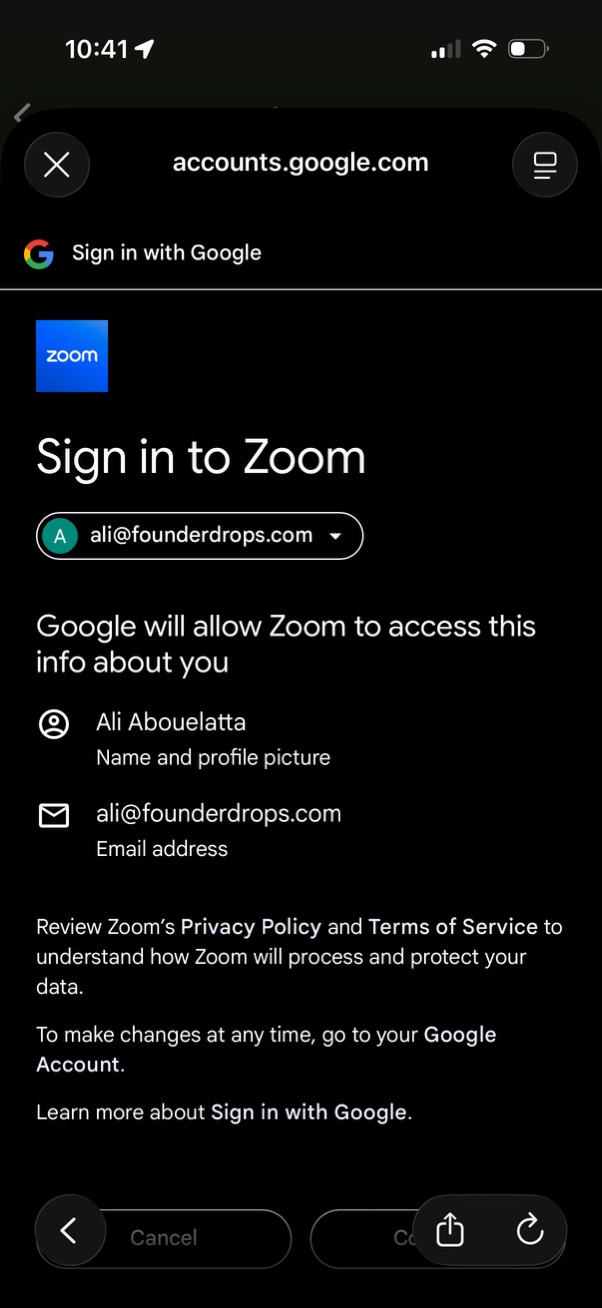
OAuth consent screen for “Sign in with Google” to log in to Zoom, showing the selected Google account dropdown and the permissions Zoom will access (name/profile picture and email address). Includes links to privacy policy/terms and actions to cancel or continue the sign-in.
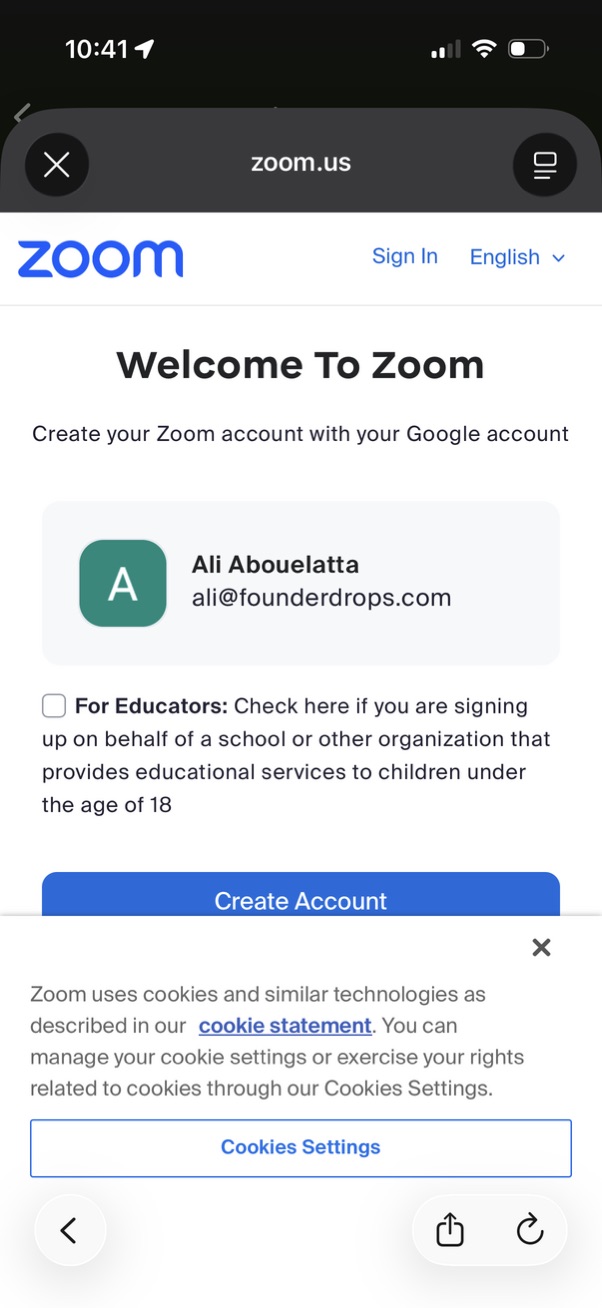
Zoom mobile web sign-up screen prompting users to create an account using a selected Google account, with options to sign in, change language, and a checkbox for educators signing up on behalf of a school. Includes a primary “Create Account” CTA and a cookie consent banner with a link to cookie settings.
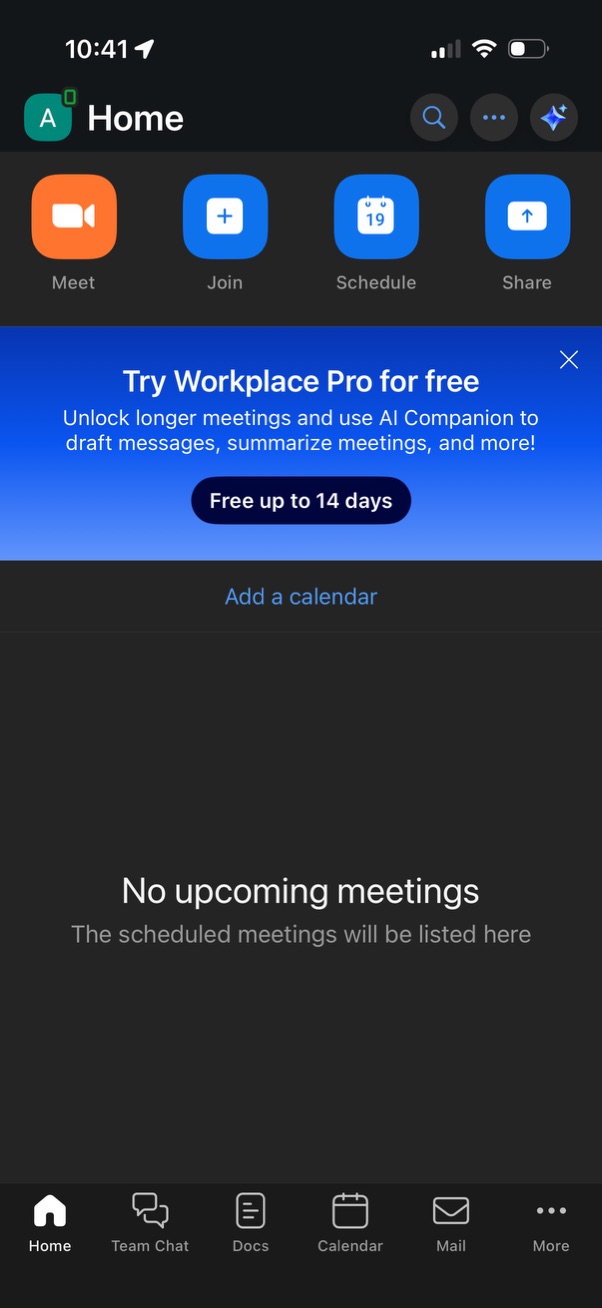
Home dashboard for a workplace video conferencing app showing quick actions to start a meeting, join a meeting, schedule, or share, with search and menu controls in the header. The main content displays an empty state with “No upcoming meetings” and an option to add a calendar, plus a promotional banner to upgrade to Pro/AI features and a bottom navigation for chat, docs, calendar, mail, and more.