Add word to dictionary
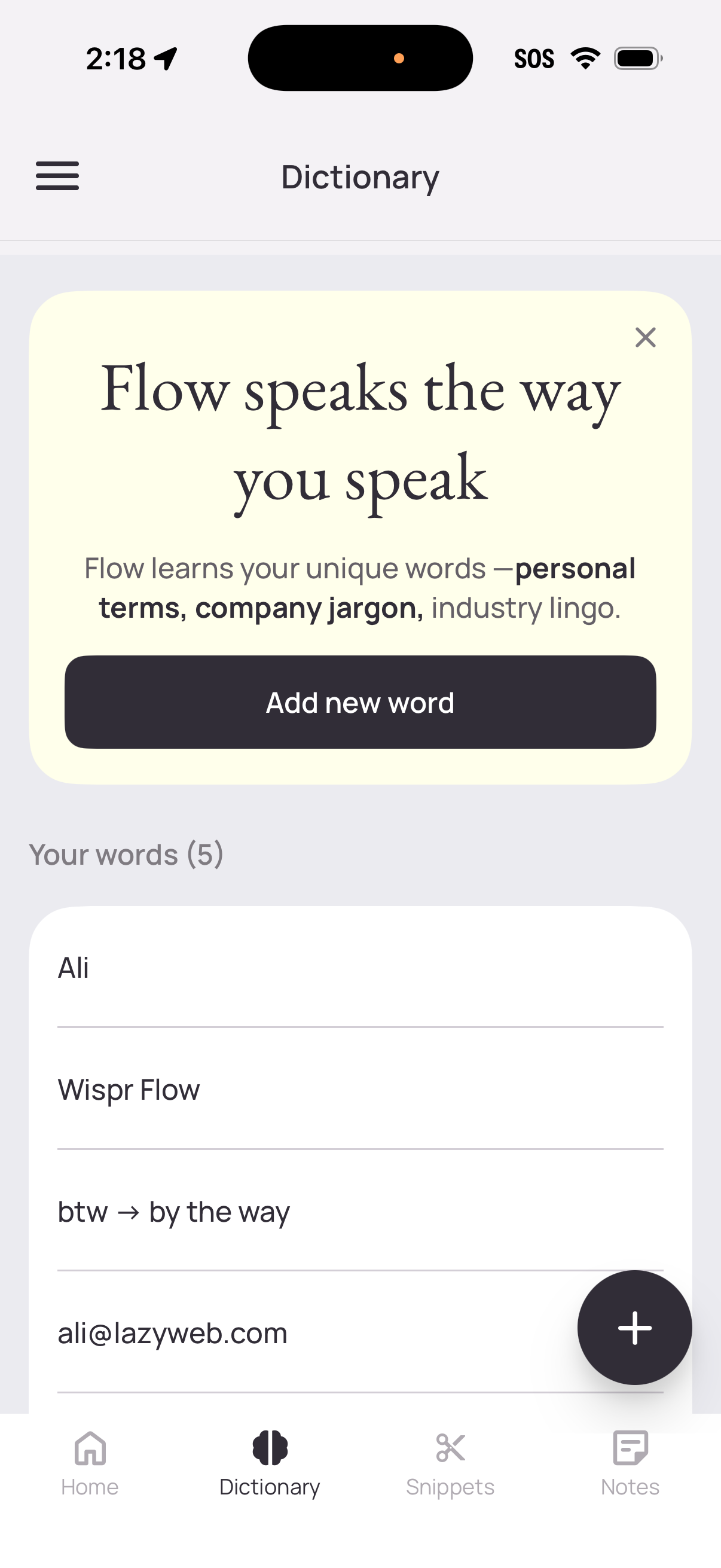
Dictionary management screen for a writing assistant app that lets users teach the tool personalized vocabulary, jargon, and shorthand. Includes a primary “Add new word” CTA plus a floating add button and a list of saved custom words/expansions, with navigation to Home, Dictionary, Snippets, and Notes.
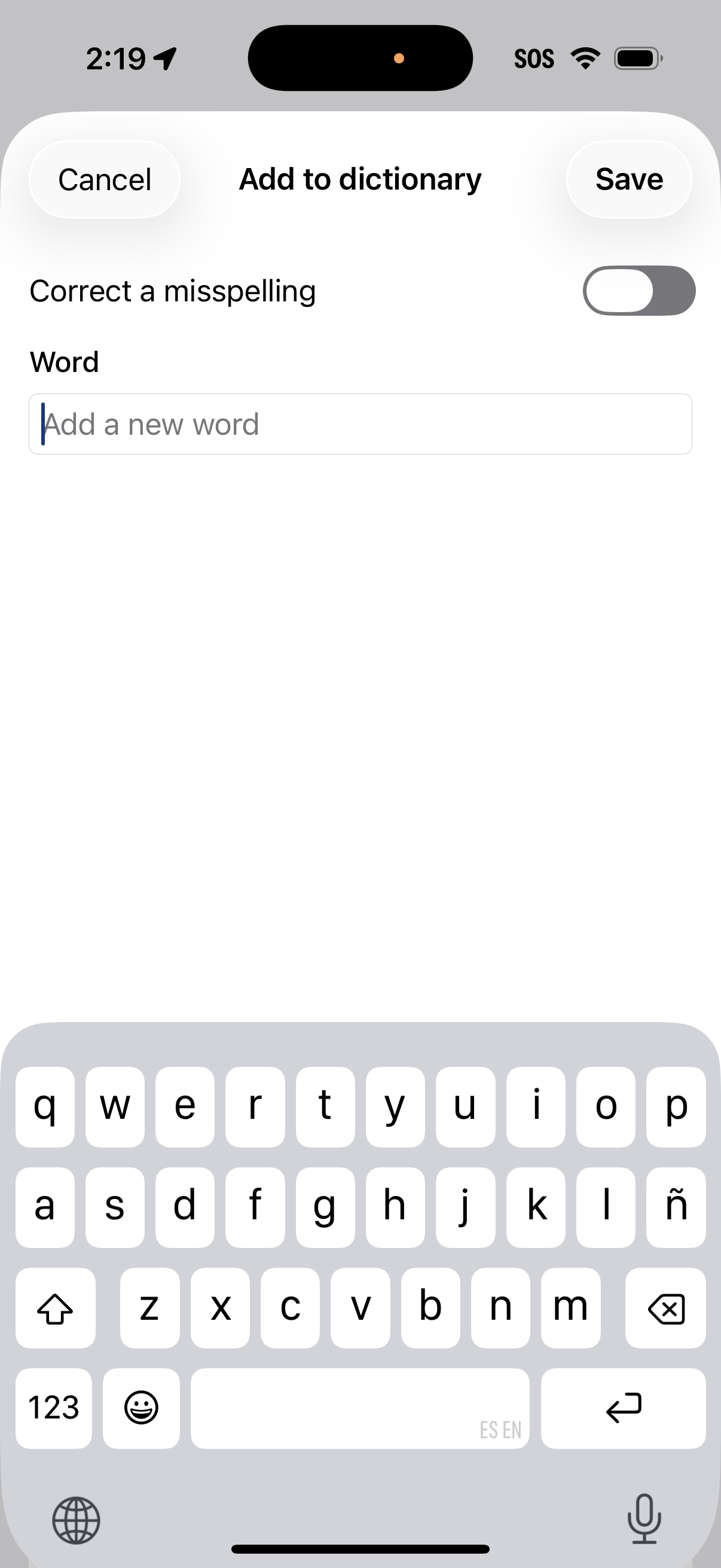
Add-to-dictionary settings screen where the user can type a new custom word and optionally toggle “Correct a misspelling” to map a typo to the intended word. Top actions include Cancel and Save to confirm or discard the dictionary entry.
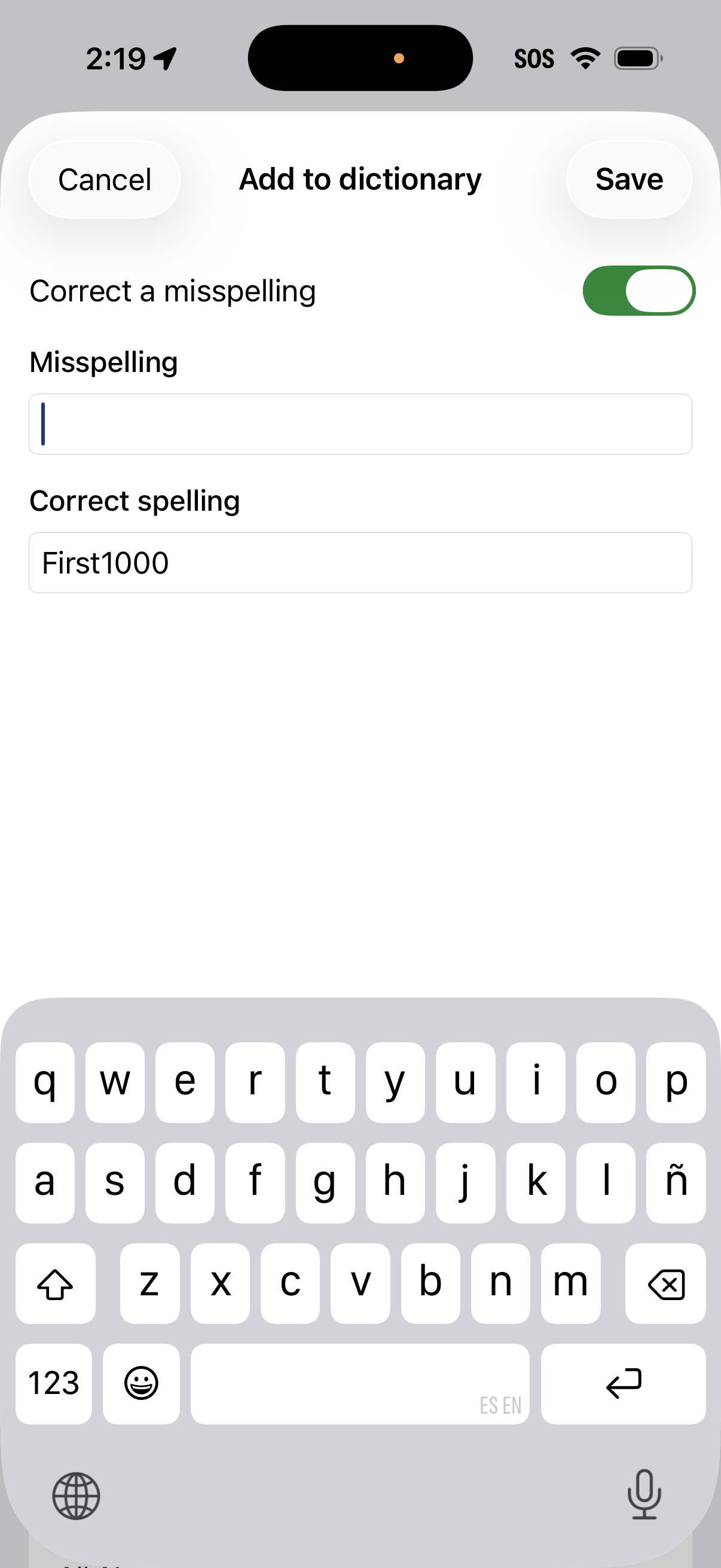
Add to dictionary screen where users can create a custom autocorrect entry by toggling “Correct a misspelling” and entering the misspelling and the correct spelling. Top actions include Cancel and Save for managing the new dictionary entry.
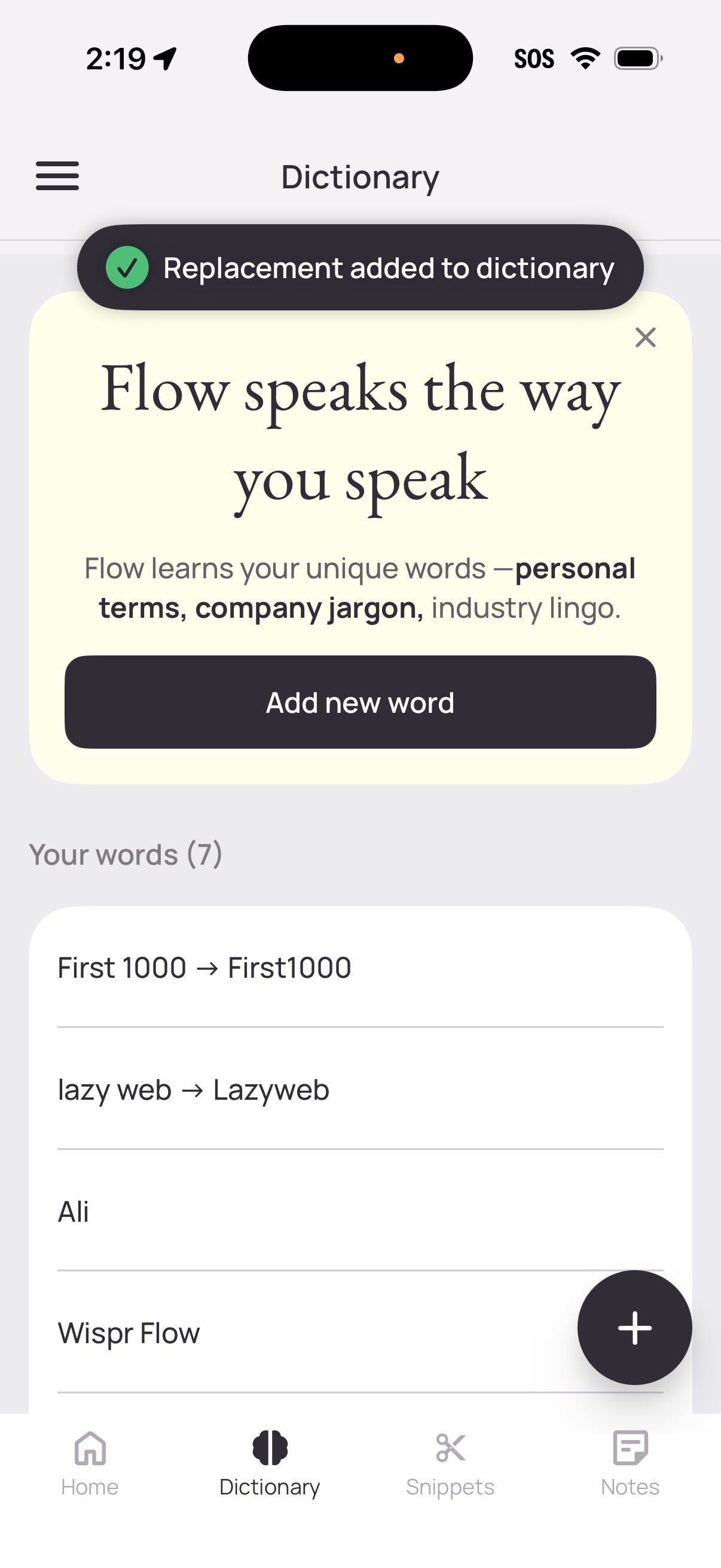
Dictionary management screen for a writing/keyboard assistant where users can add custom words and text replacements to personalize vocabulary (personal terms, company jargon). Includes a prominent “Add new word” CTA, a floating plus button, a list of saved words/replacements, and a success toast confirming a replacement was added.