request a selling quote
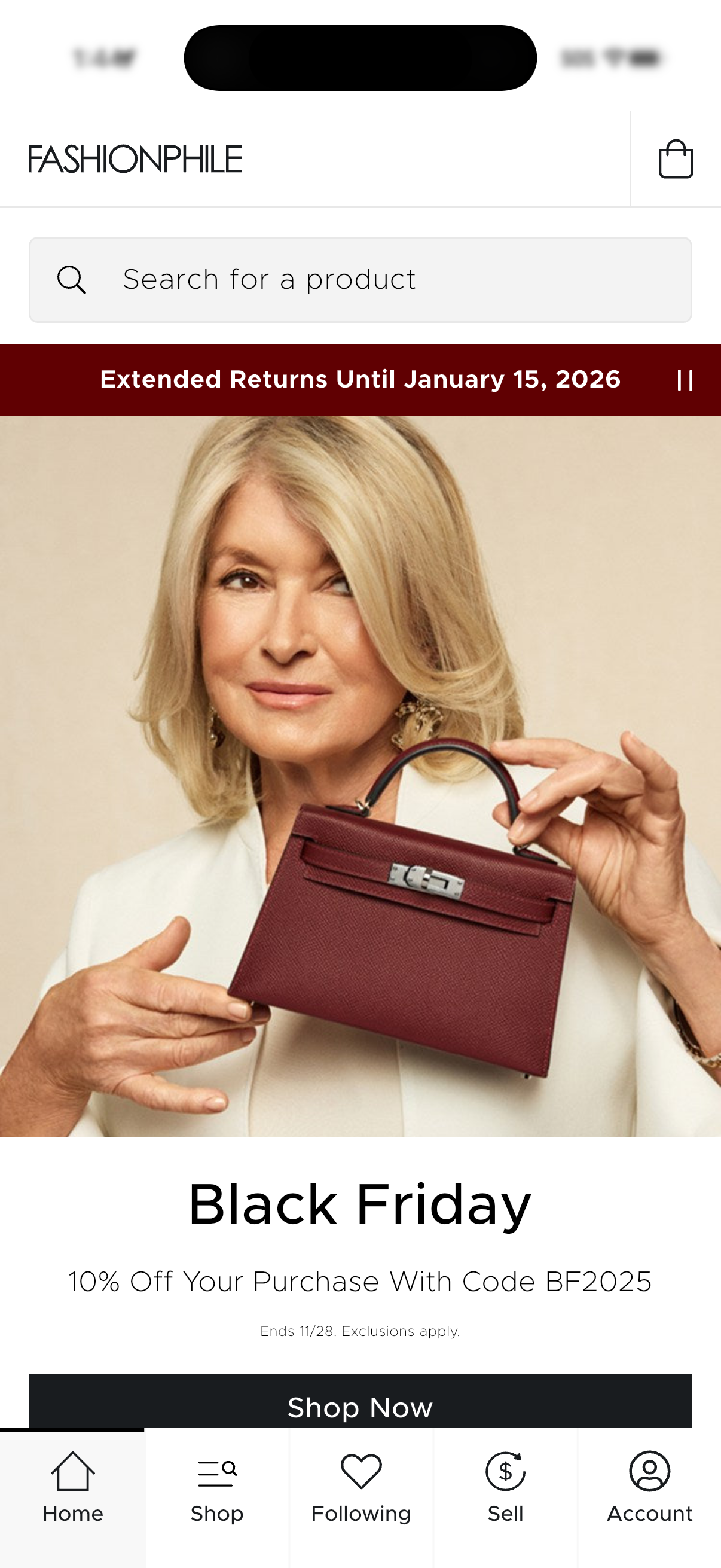
Ecommerce home screen for a fashion marketplace featuring a prominent product search bar, cart access, and a large promotional banner for a seasonal sale with discount code and “Shop Now” CTA. Bottom tab navigation provides quick access to Home, Shop/browse, Following (wishlist), Sell, and Account.
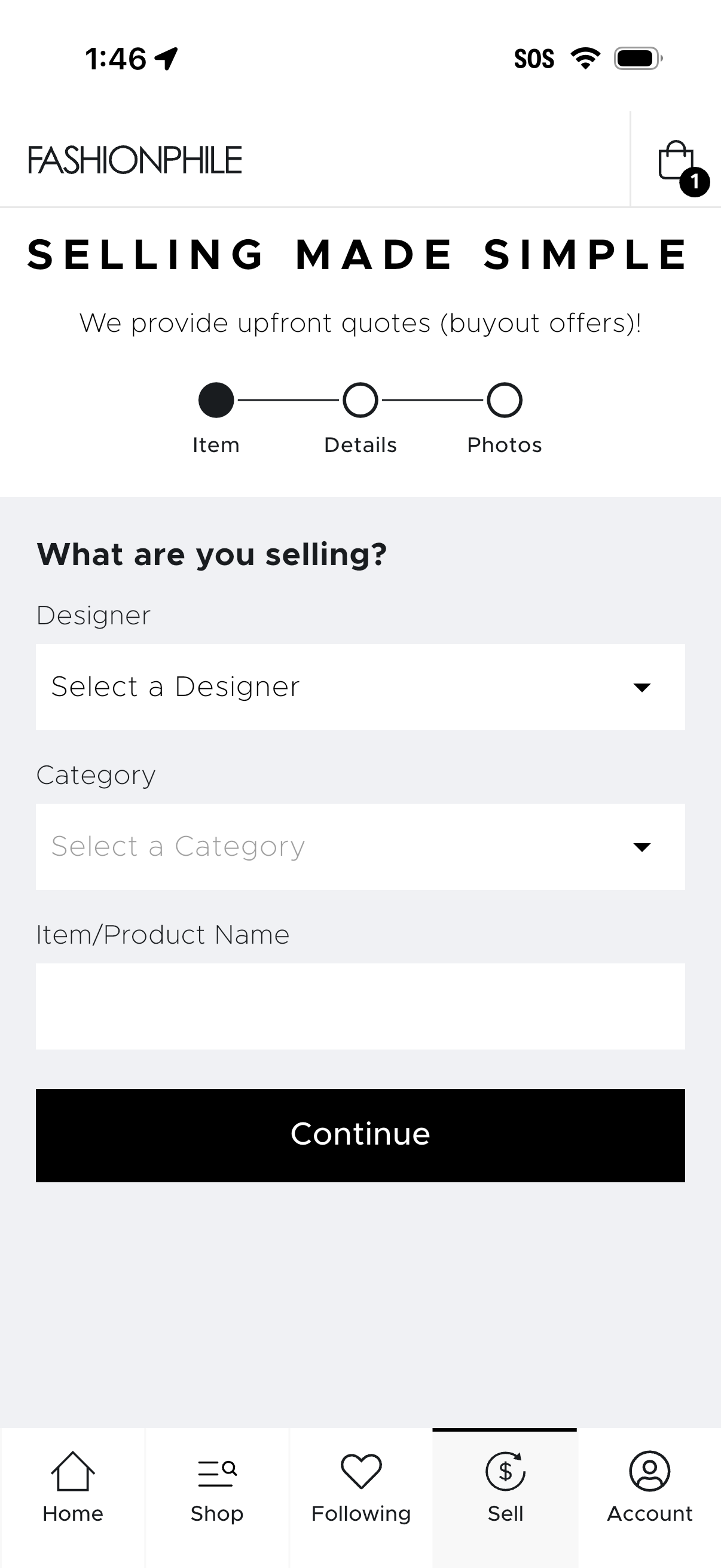
Item listing start screen for a fashion resale app’s “Selling made simple” flow, showing a step progress indicator (Item, Details, Photos) and a form to choose designer and category from dropdowns and enter an item/product name. Primary action is a Continue button to proceed to the next listing step, with cart and bottom navigation tabs including Sell.
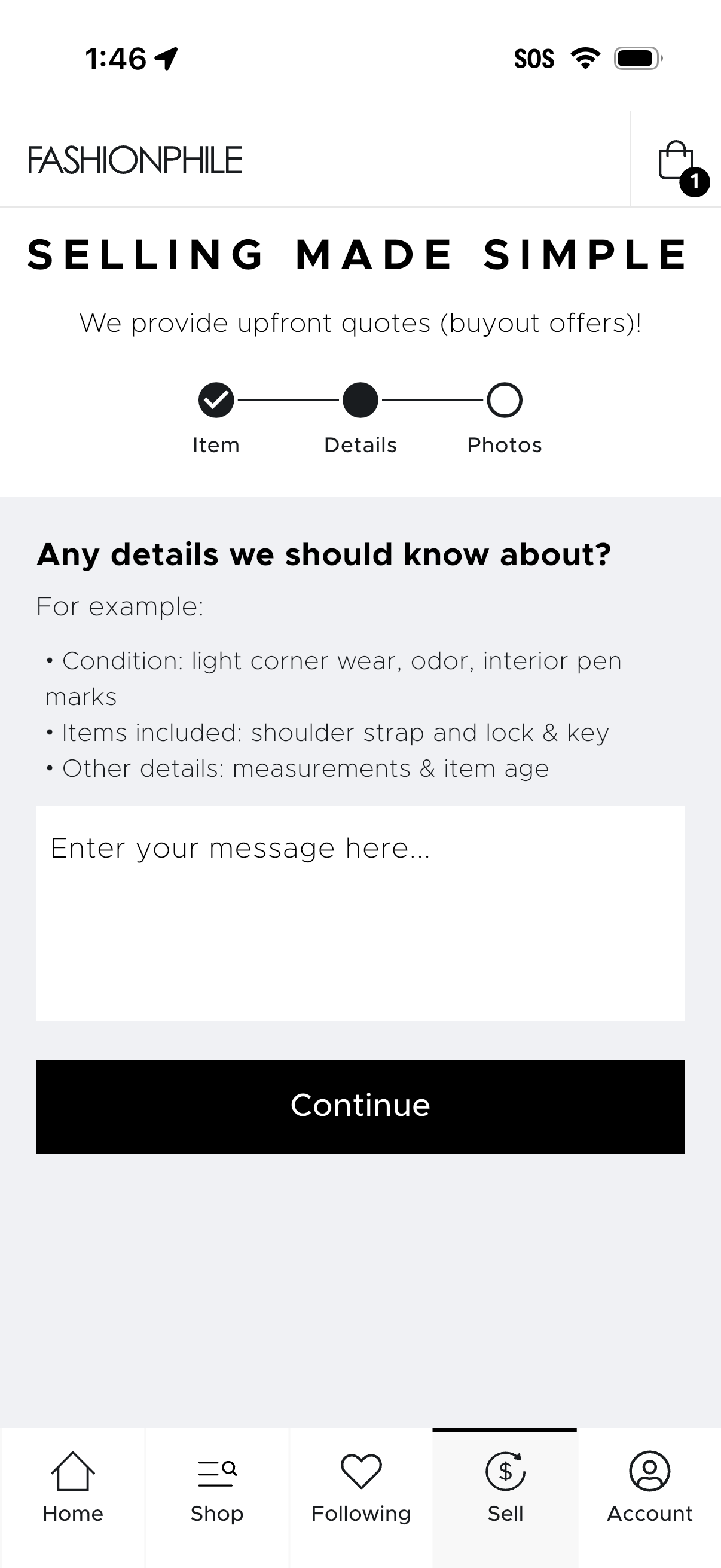
Second step of a multi-step “sell item” flow for requesting an upfront buyout quote, showing a progress indicator (Item, Details, Photos) and a large text field to enter additional item details like condition, included accessories, measurements, and age. Primary action is a prominent Continue button to proceed to the next step.
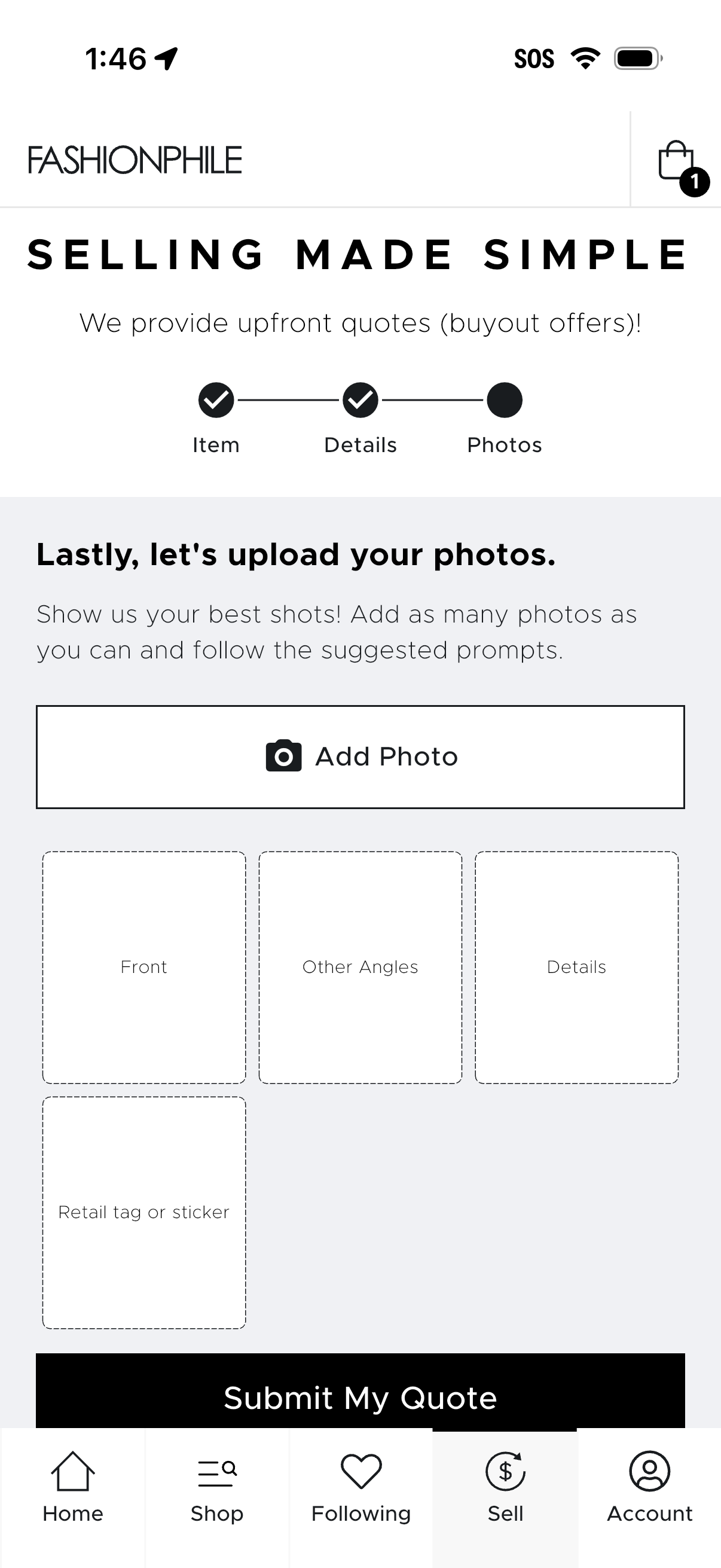
Multi-step sell flow for a fashion resale app showing the final “Photos” step with a progress indicator (Item, Details, Photos) and prompts to upload multiple product images. Users can tap “Add Photo” to fill placeholders for front, other angles, details, and retail tag/sticker photos, then submit the listing to receive an upfront quote via “Submit My Quote.