Sign up
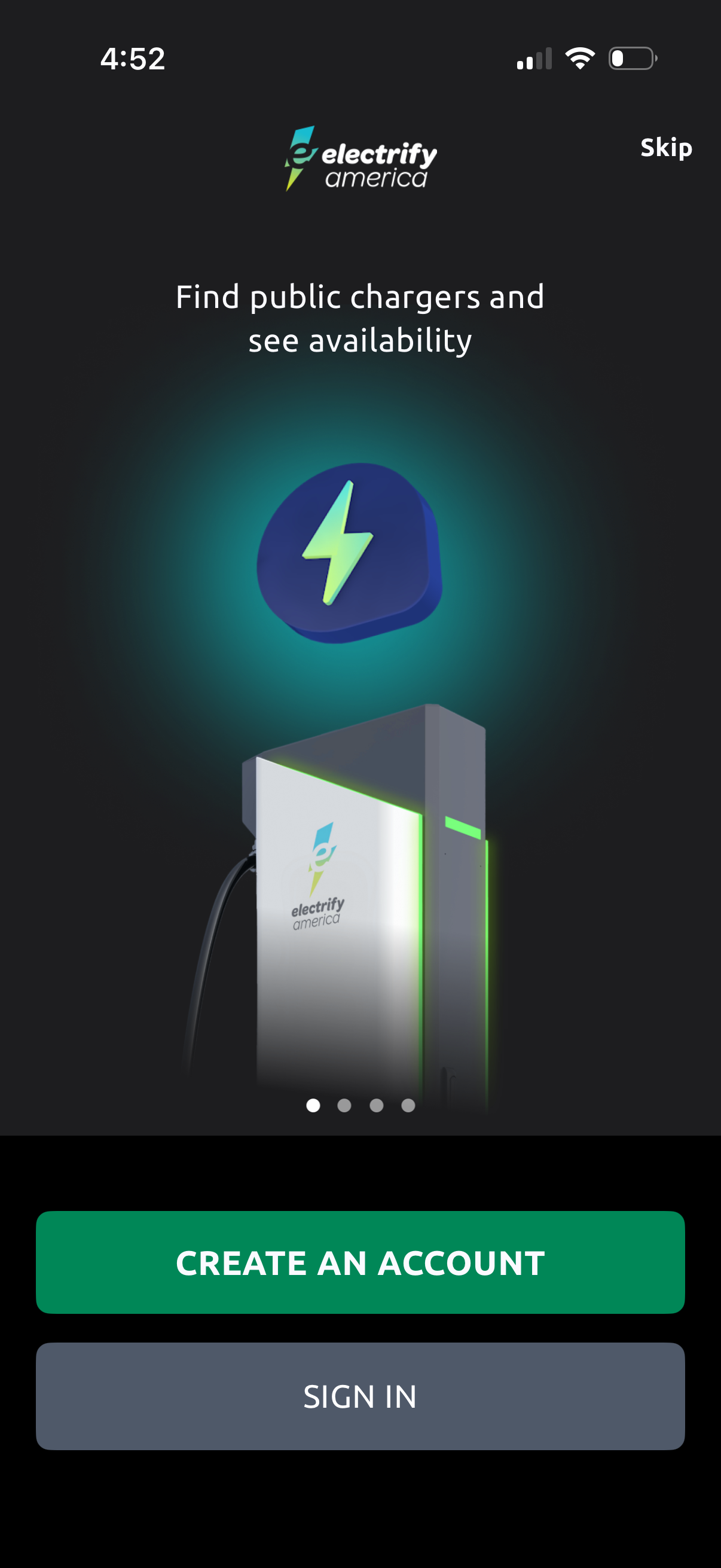
Onboarding welcome screen for an EV charging network app highlighting the ability to find public chargers and view real-time availability. Provides primary actions to create an account or sign in, with an option to skip onboarding.
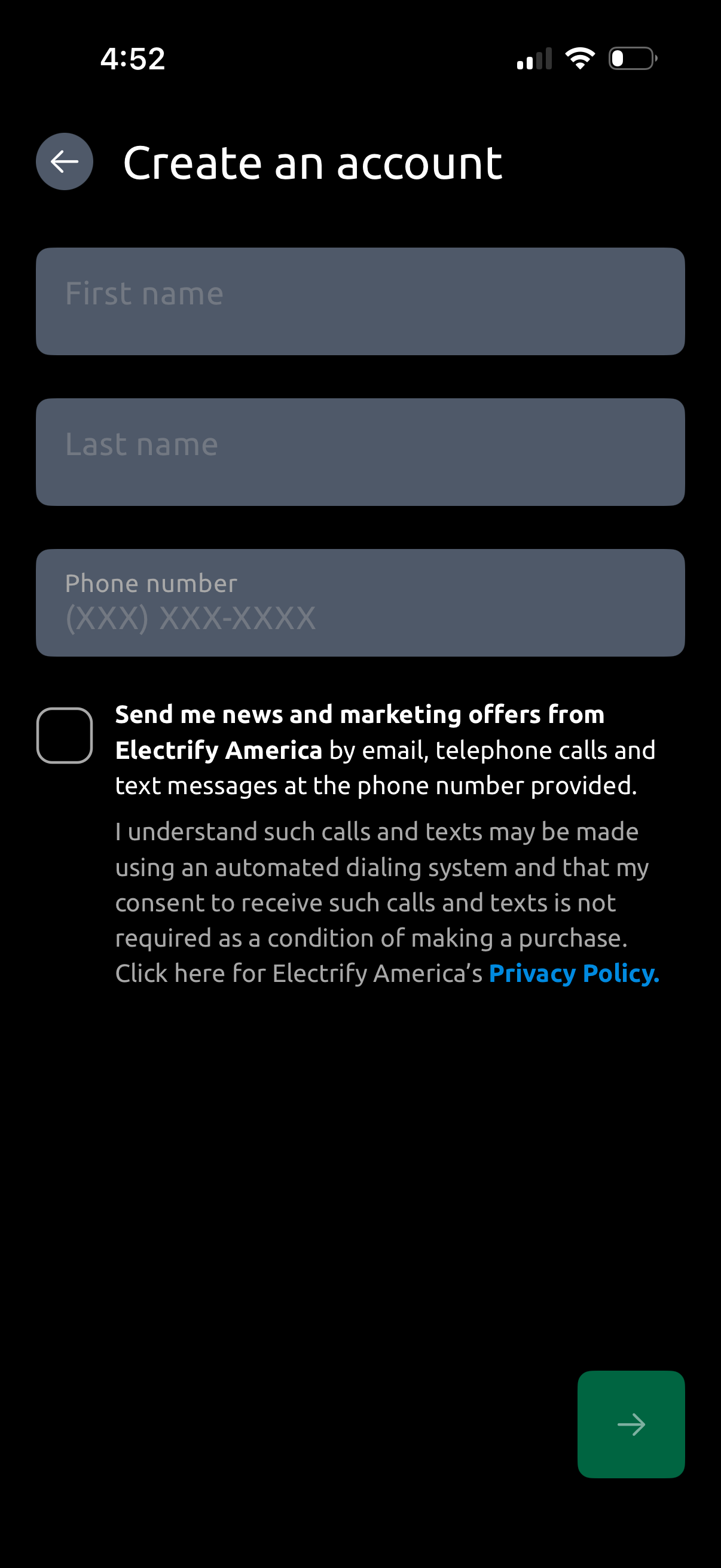
Account creation sign-up form prompting for first name, last name, and phone number, with a back button and a primary next/continue arrow. Includes an optional marketing communications opt-in checkbox and a link to the privacy policy.
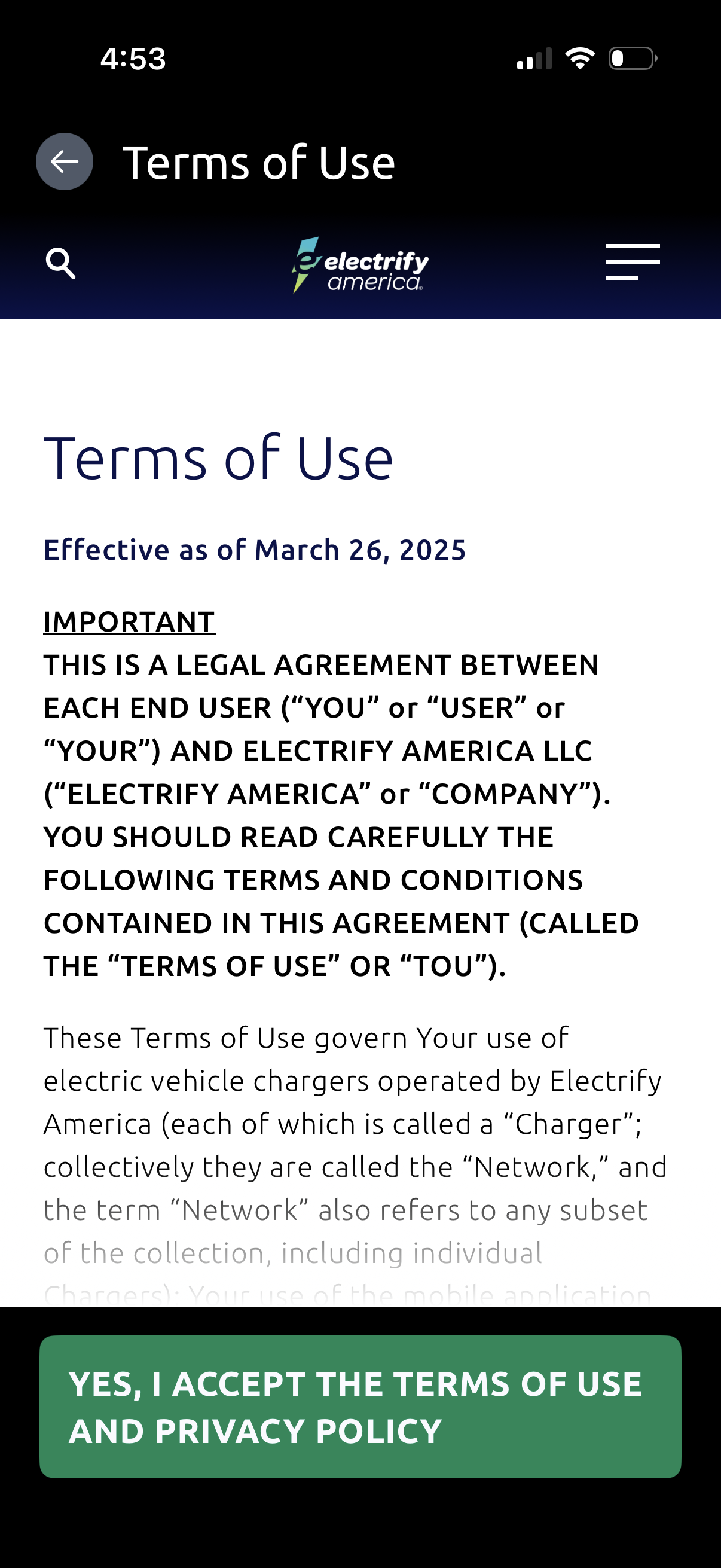
Terms of Use legal agreement screen showing effective date and scrollable terms content, with navigation controls (back, search, menu). A persistent bottom call-to-action button lets the user accept the Terms of Use and Privacy Policy.
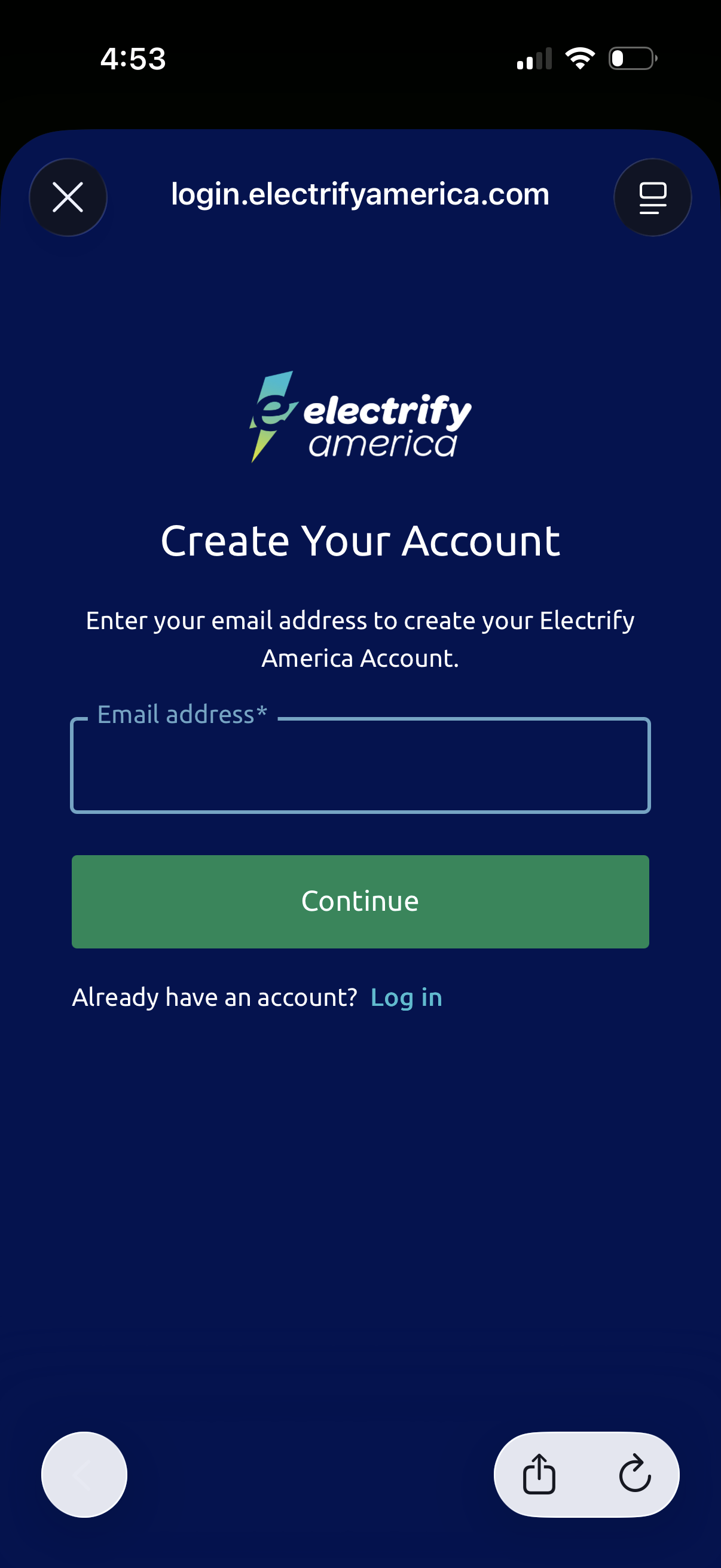
Account creation screen for an app/service prompting the user to enter an email address to create a new account, with a primary Continue button. Includes a secondary “Already have an account?
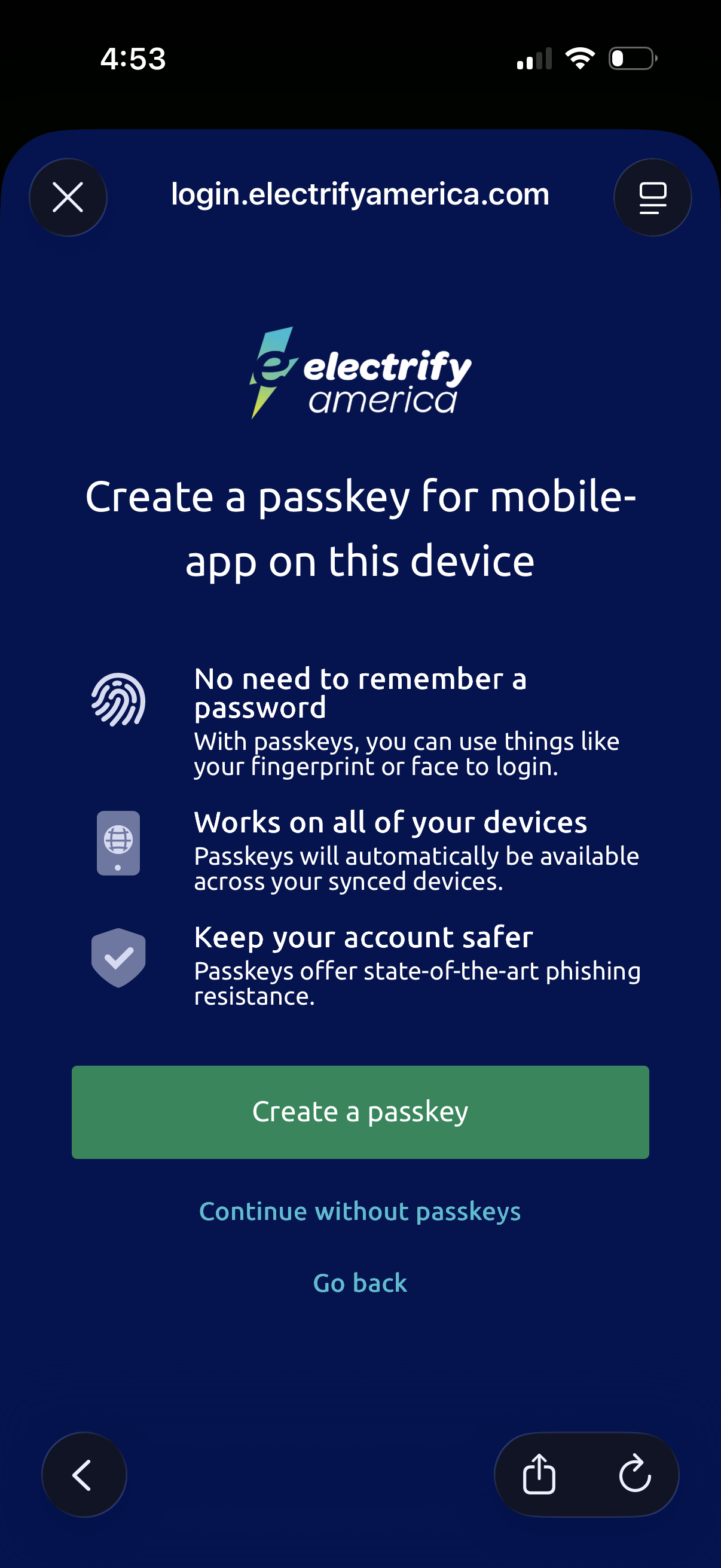
Passkey setup prompt during login asking the user to create a passkey on this device for passwordless sign-in using biometrics, with benefits like cross-device sync and phishing resistance. Primary action is “Create a passkey,” with secondary options to continue without passkeys or go back.
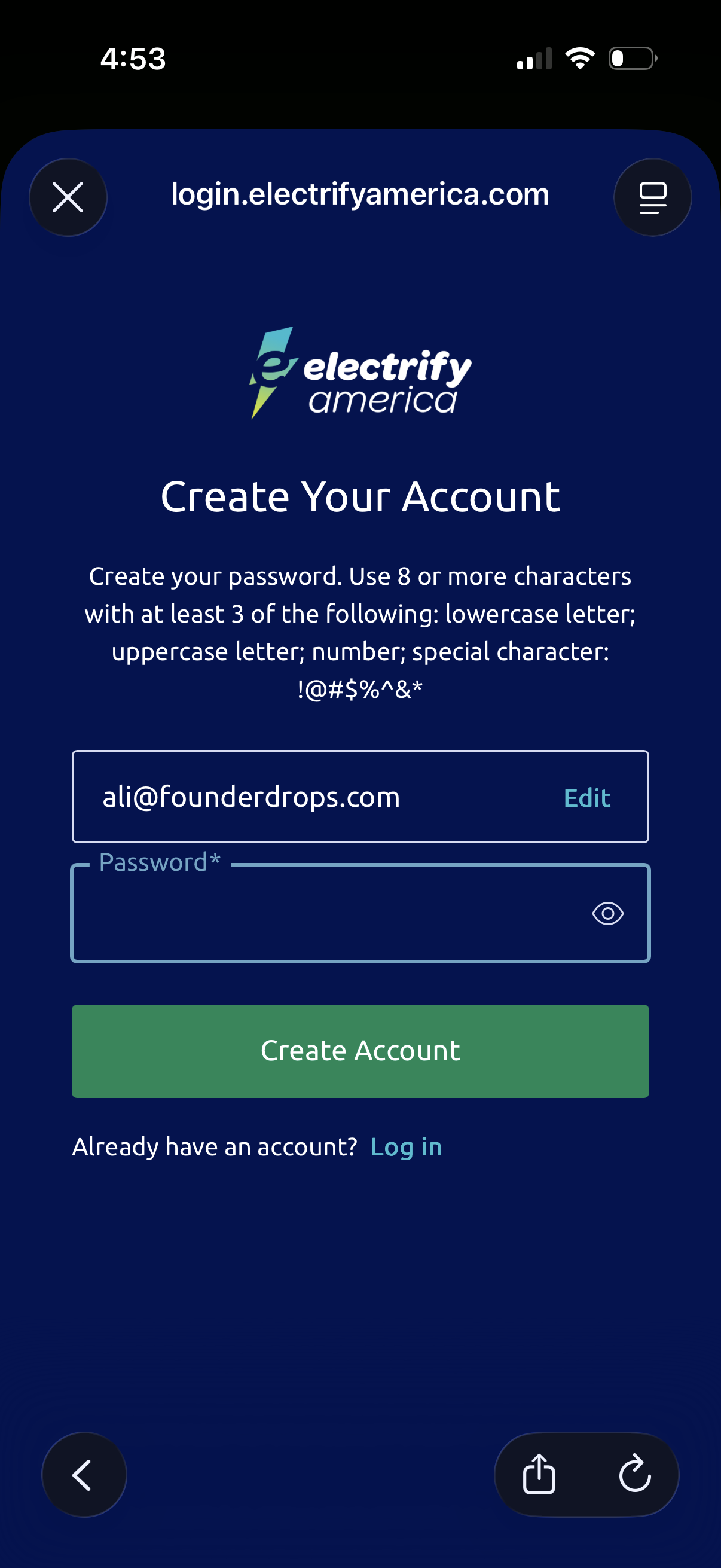
Account creation screen for an EV charging service where the user sets a password, with inline password complexity requirements and an eye icon to show/hide the password. Includes an email field with an Edit option, a primary “Create Account” button, and a link to log in for existing users.
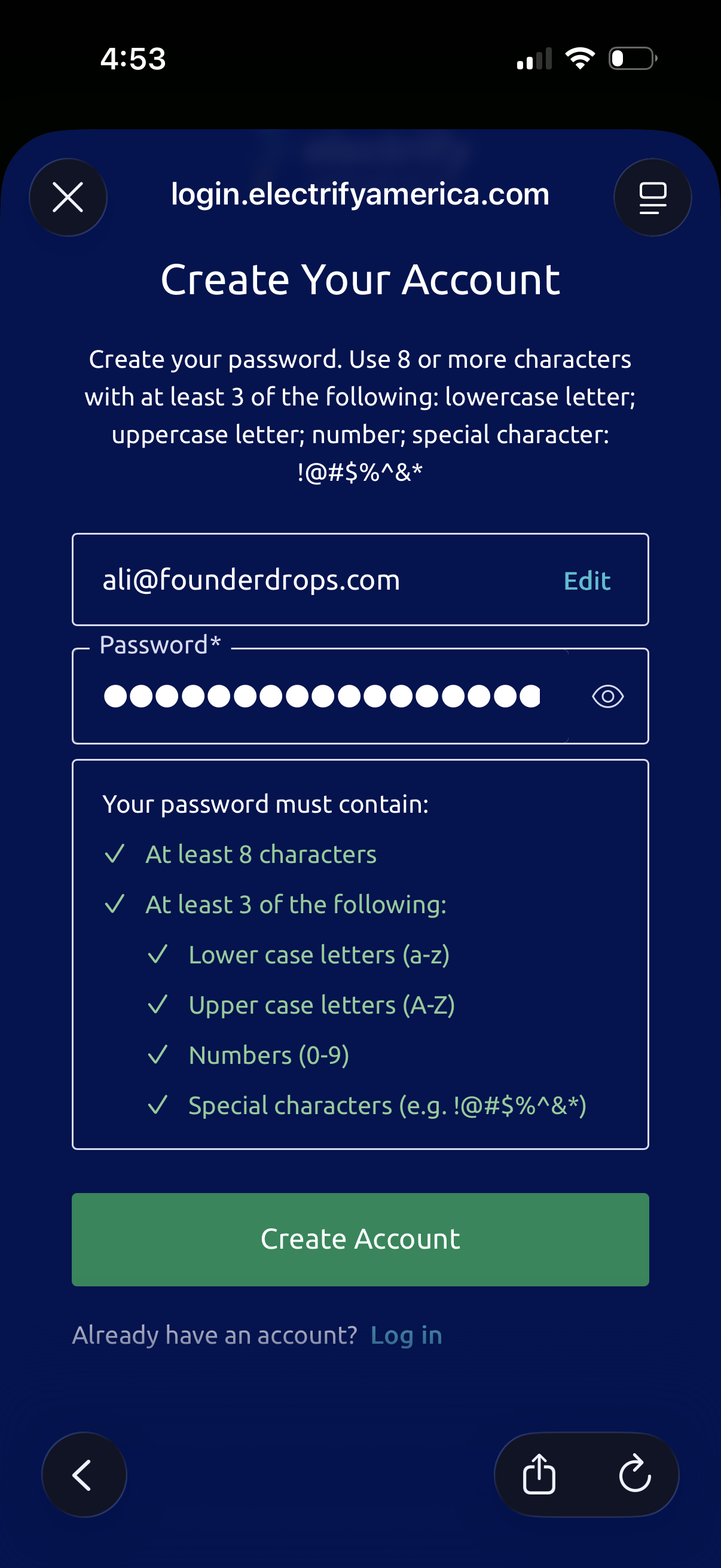
Account creation screen focused on setting a password, showing the user’s email with an edit option, a password field with show/hide toggle, and a checklist of password complexity requirements (minimum length and mix of character types). Primary action is a “Create Account” button with a secondary link to log in for existing users.
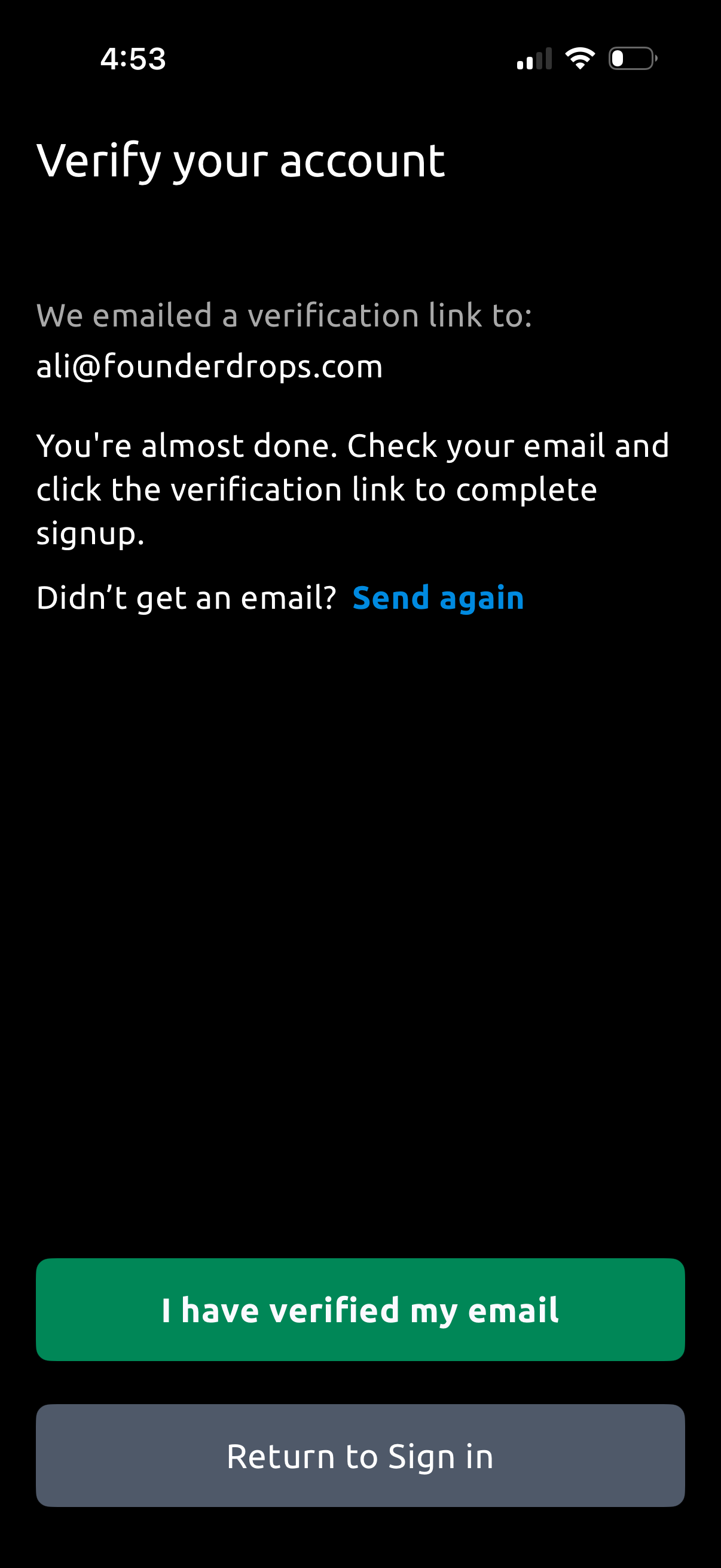
Email verification screen shown after signup, informing the user that a verification link was sent and prompting them to check their inbox and click the link to complete account creation. Provides actions to resend the email, confirm “I have verified my email,” or return to sign in.
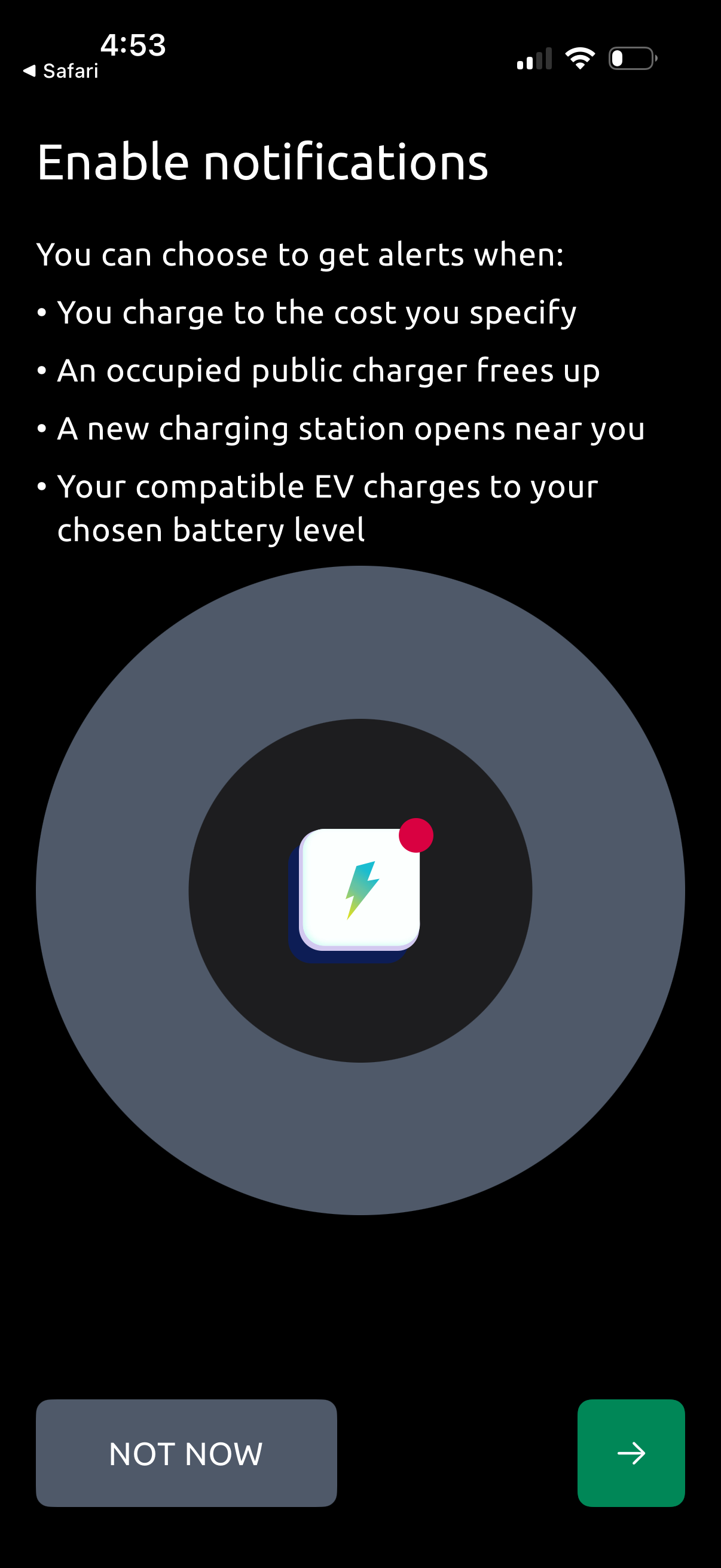
Notification permission prompt for an EV charging app explaining the types of alerts users can enable, such as charging cost thresholds, when a busy public charger becomes available, when new nearby stations open, and when the vehicle reaches a chosen battery level. Primary actions are “Not now” to skip or a forward/continue button to proceed with enabling notifications.
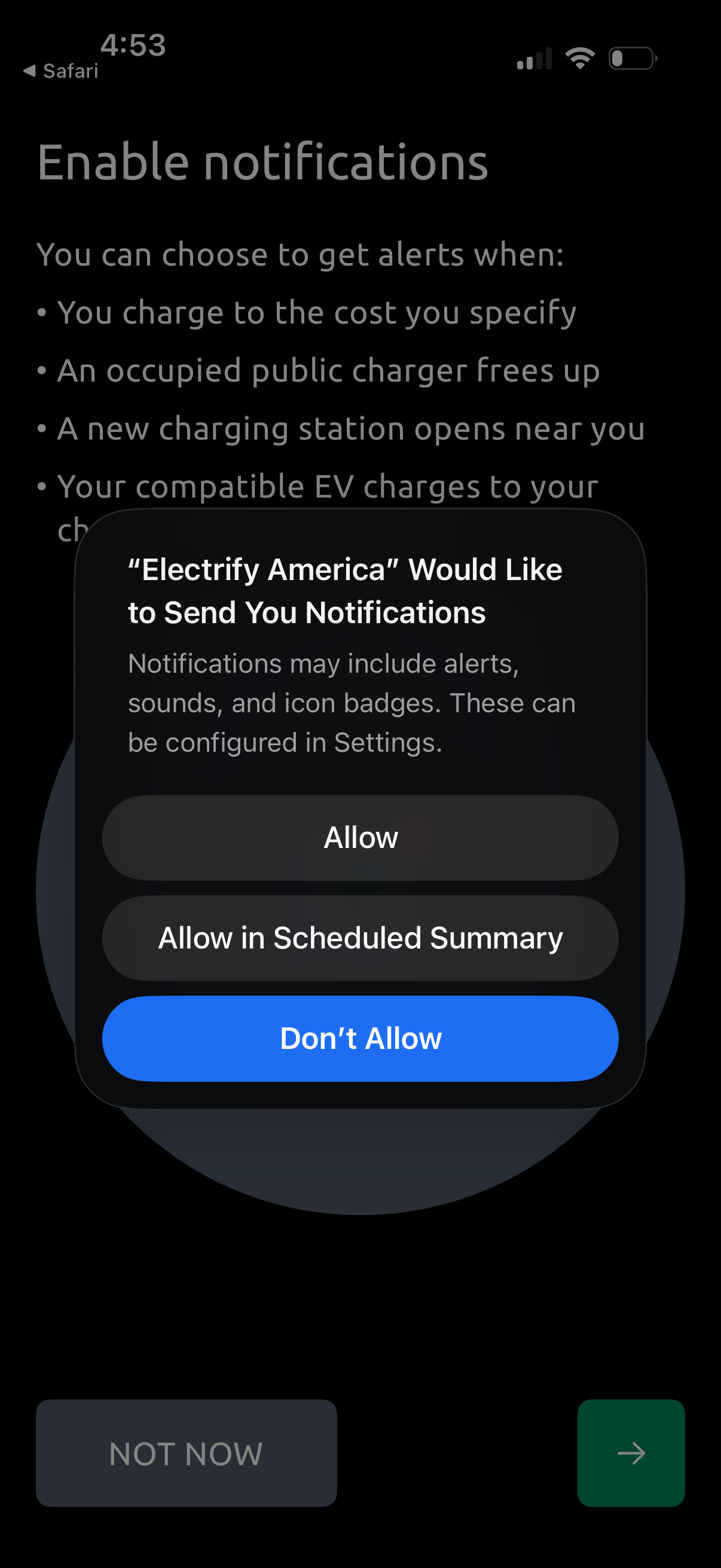
Notification permission onboarding screen prompting users to enable push notifications for EV charging alerts such as reaching a target cost, a charger becoming available, or a new nearby charging station. An iOS system modal asks to Allow, Allow in Scheduled Summary, or Don’t Allow, with Not Now and continue navigation controls in the background.
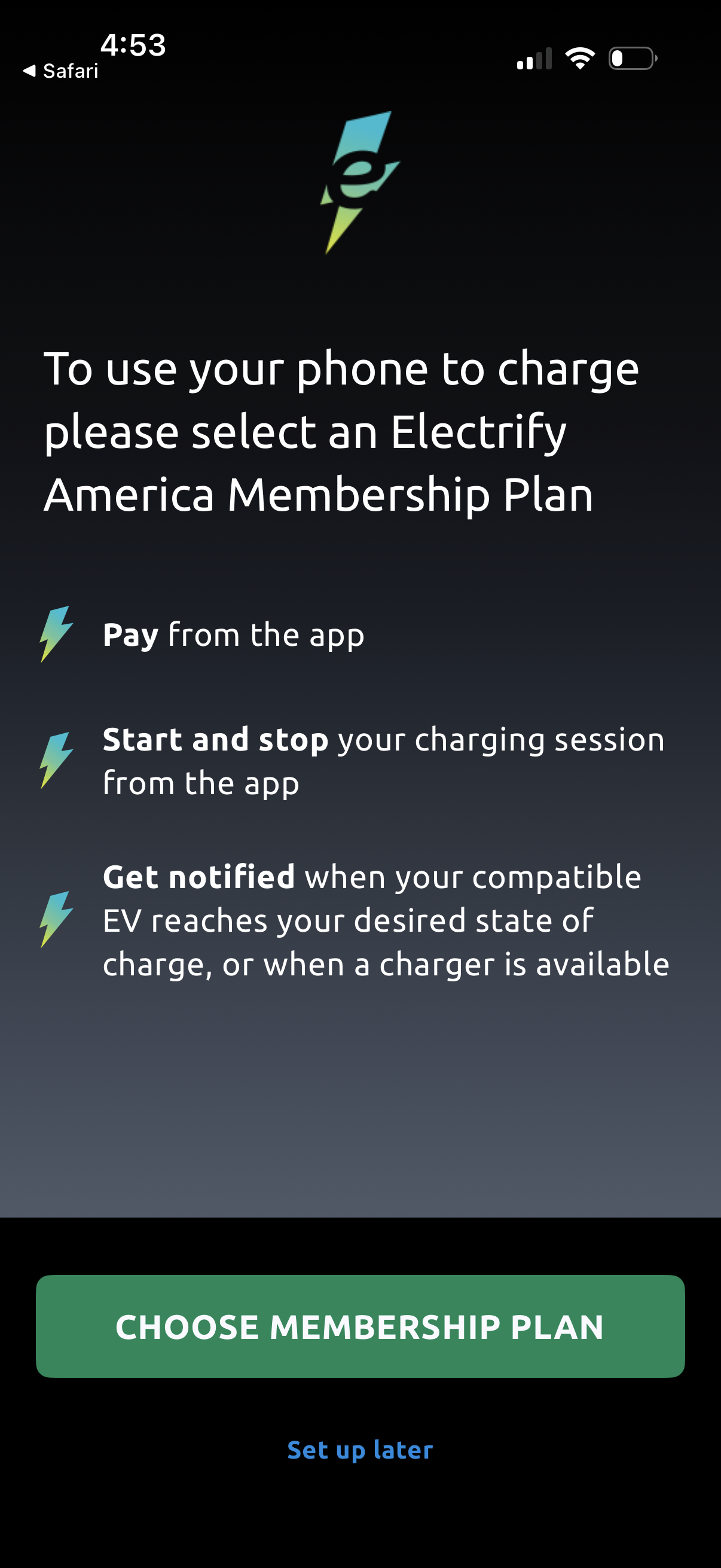
Membership onboarding screen for an EV charging app prompting users to select an Electrify America membership plan to enable in-app charging, highlighting benefits like paying in the app, starting/stopping charging sessions, and receiving charge/charger availability notifications. Primary action is a “Choose membership plan” button with an option to “Set up later.
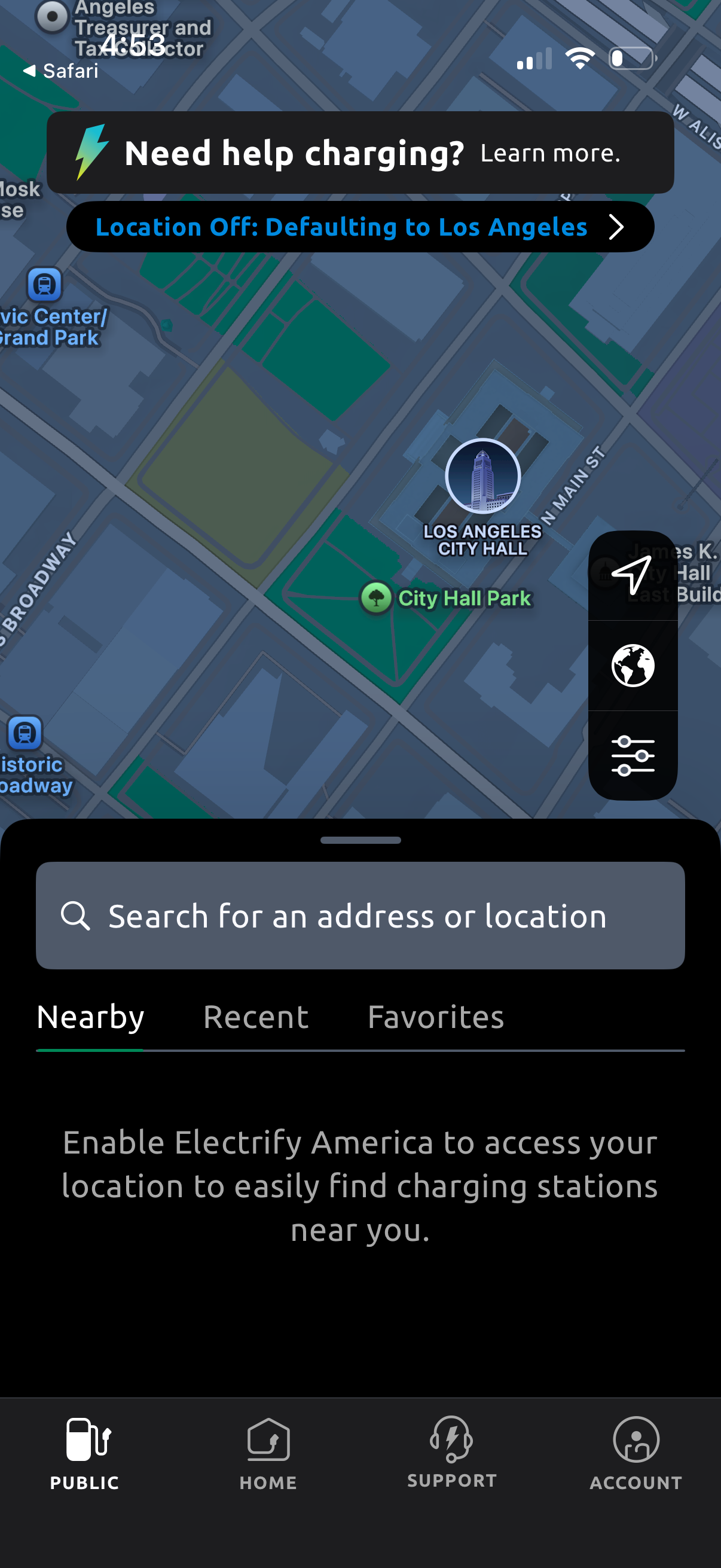
Map-based EV charging app screen prompting the user to enable location services (location off) to find nearby charging stations, with a search bar for entering an address or location. Includes tabs for Nearby, Recent, and Favorites plus quick map controls for recentering and filters.