customize favorites layout
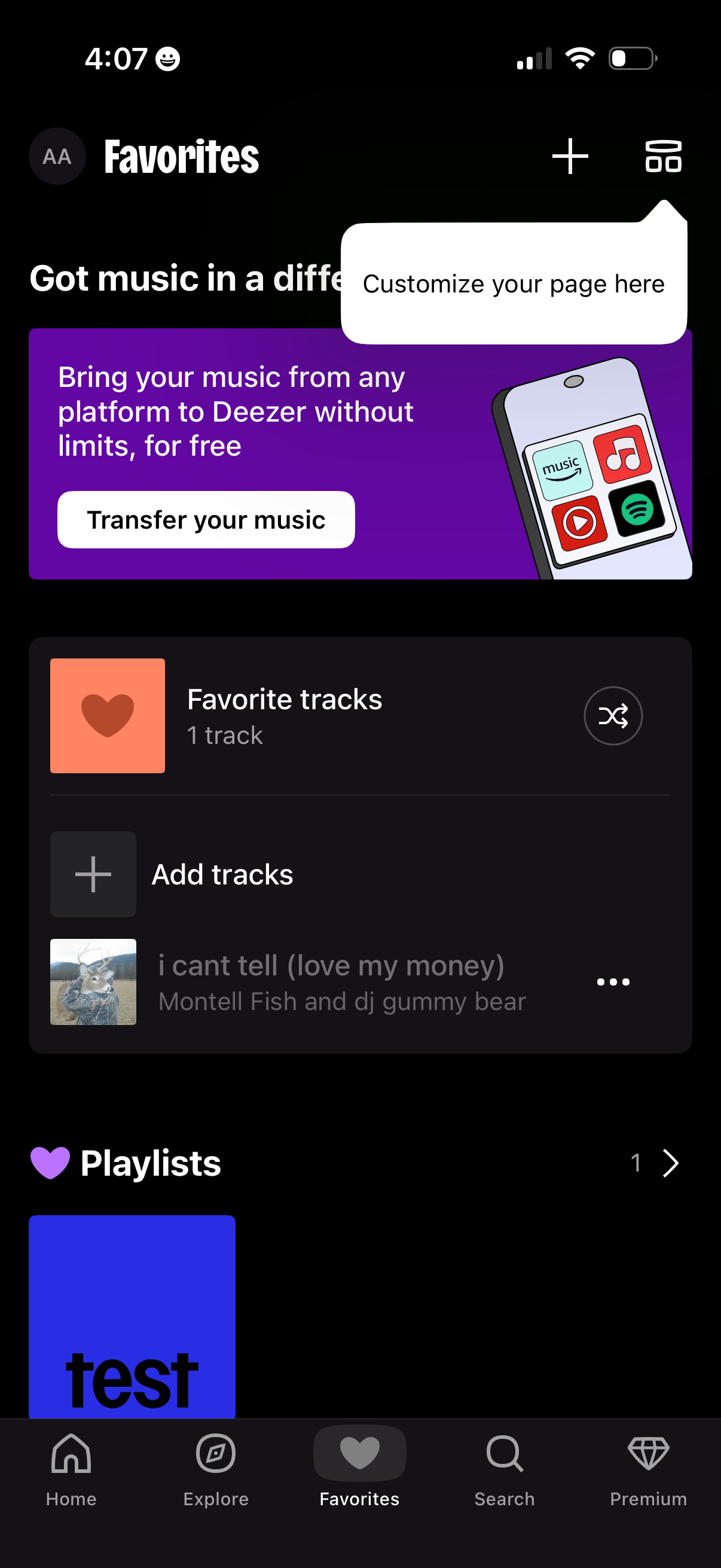
Music app Favorites library screen showing favorite tracks and playlists, with options to add tracks, shuffle/play favorites, and open overflow actions on a track. Includes a promotional banner to transfer music from other platforms and top actions to customize the page or add new items.
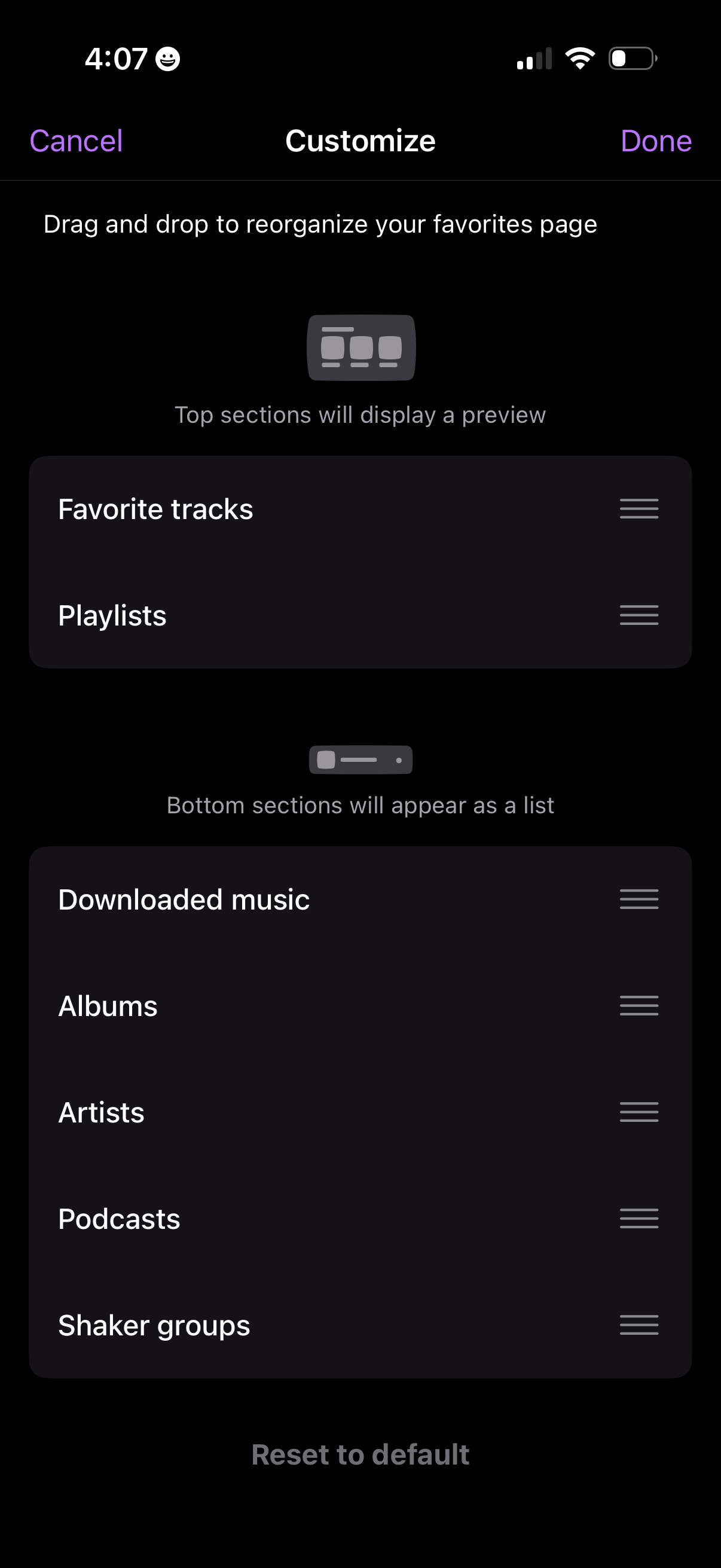
Customization screen for a music app favorites/library page that lets users drag-and-drop to reorder sections, showing a preview for top sections and a list for bottom sections. Includes Cancel/Done actions and a Reset to default option, with reorderable items like favorite tracks, playlists, downloaded music, albums, artists, and podcasts.
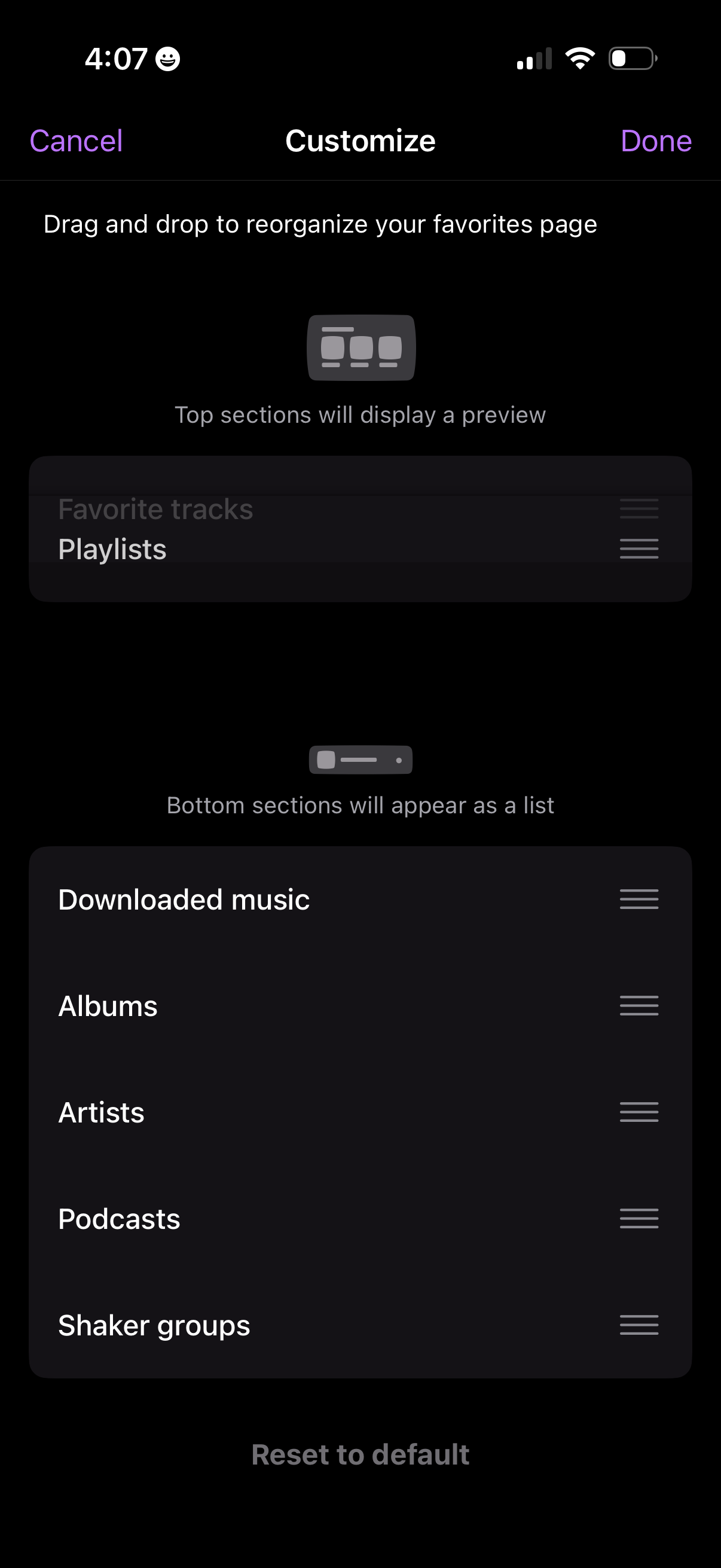
Customization screen for a music app favorites/library page where users drag and drop sections to reorder what appears in the top preview area versus the bottom list. Includes Cancel and Done actions plus a “Reset to default” option, with reorder handles for items like playlists, downloaded music, albums, artists, podcasts, and groups.
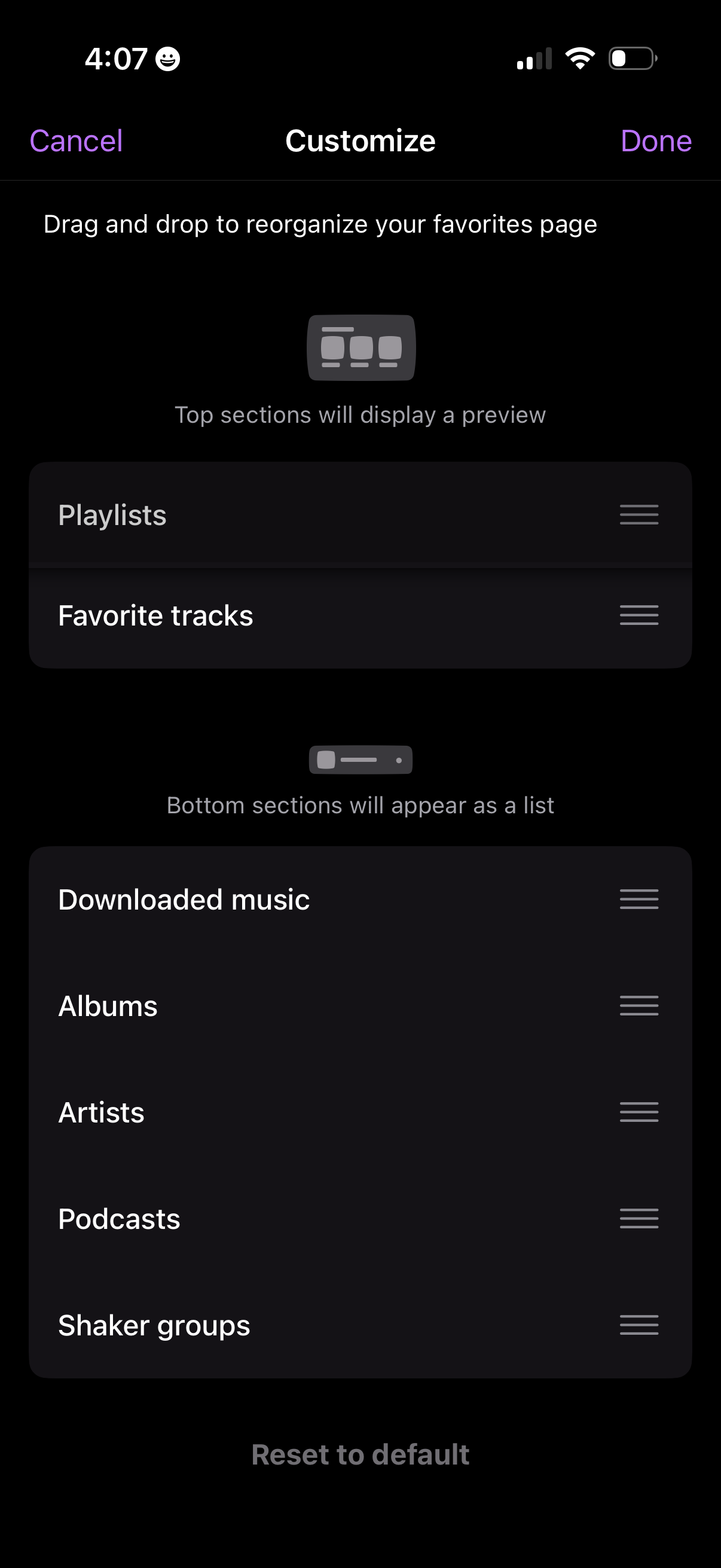
Customization screen for a music app favorites/library page that lets users drag-and-drop to reorder sections like Playlists, Favorite tracks, Downloaded music, Albums, Artists, and Podcasts, with top sections showing a preview and bottom sections appearing as a list. Includes Cancel/Done actions and a “Reset to default” option.
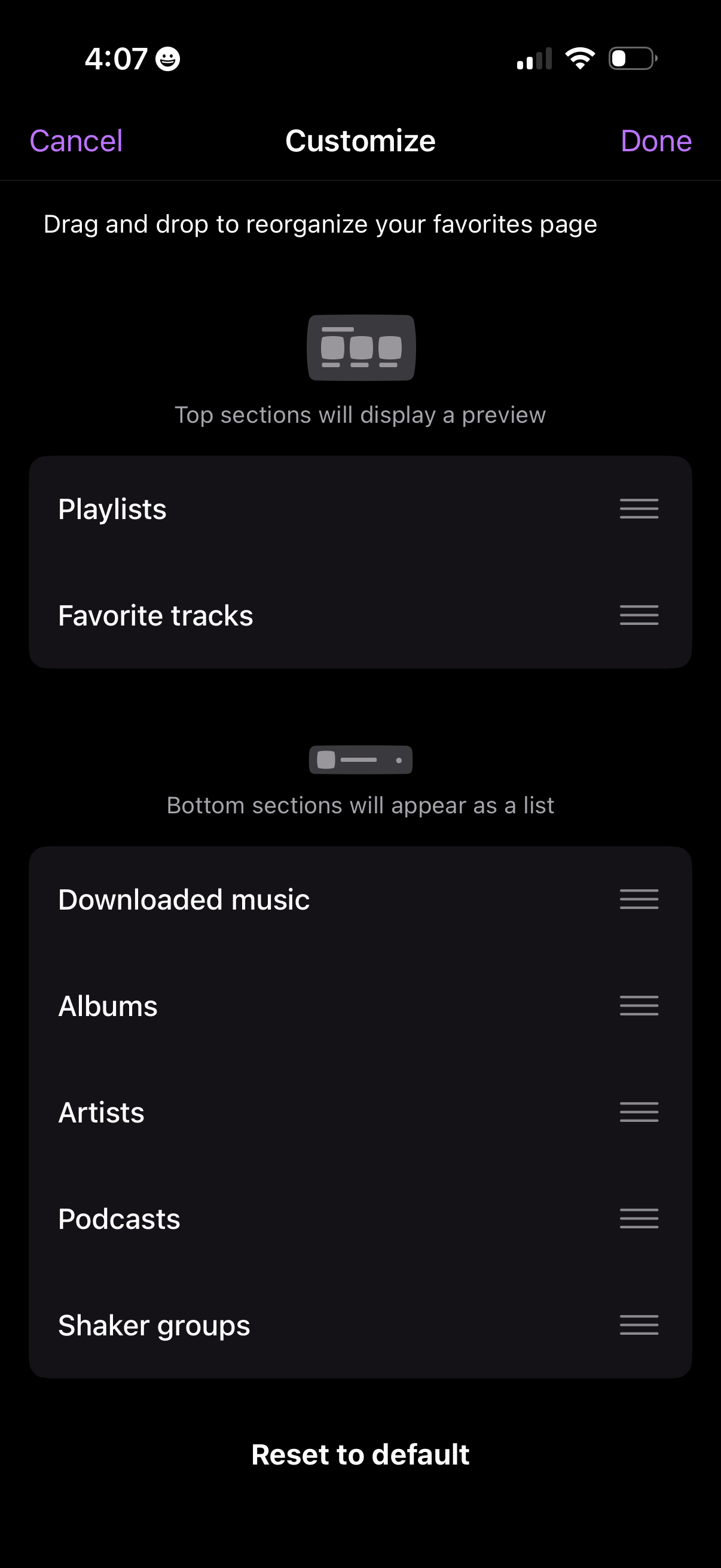
Favorites page customization screen for a music app where users drag and drop reorder sections like Playlists, Favorite tracks, Downloaded music, Albums, Artists, and Podcasts, with top sections shown as a preview and bottom sections as a list. Includes Cancel/Done actions and a Reset to default option.