start delivery order
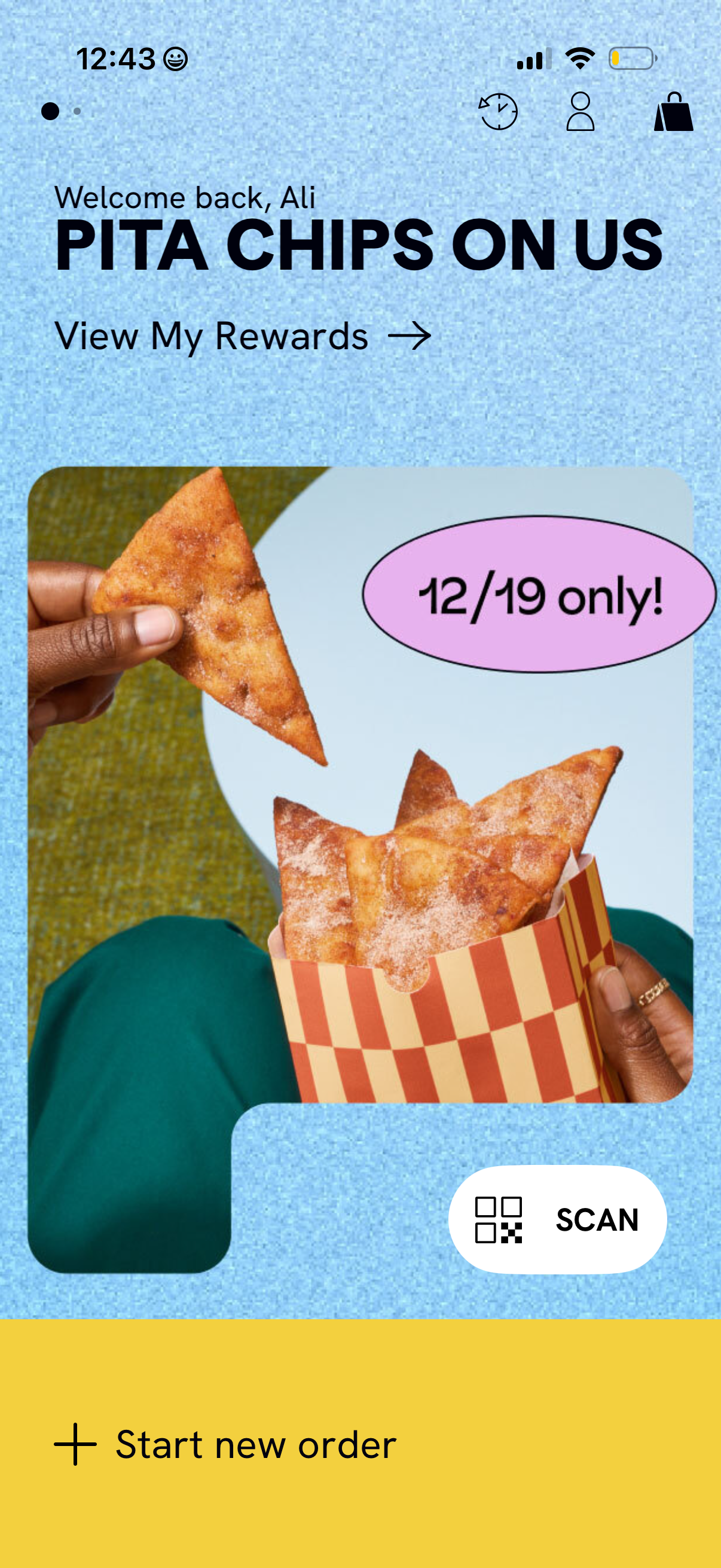
Home screen of a restaurant ordering app highlighting a limited-time rewards promotion with a hero image and a “View My Rewards” link. Top icons provide access to account and cart, while primary actions include a prominent “Scan” button for in-store QR/receipt scanning and a bottom “Start new order” CTA.
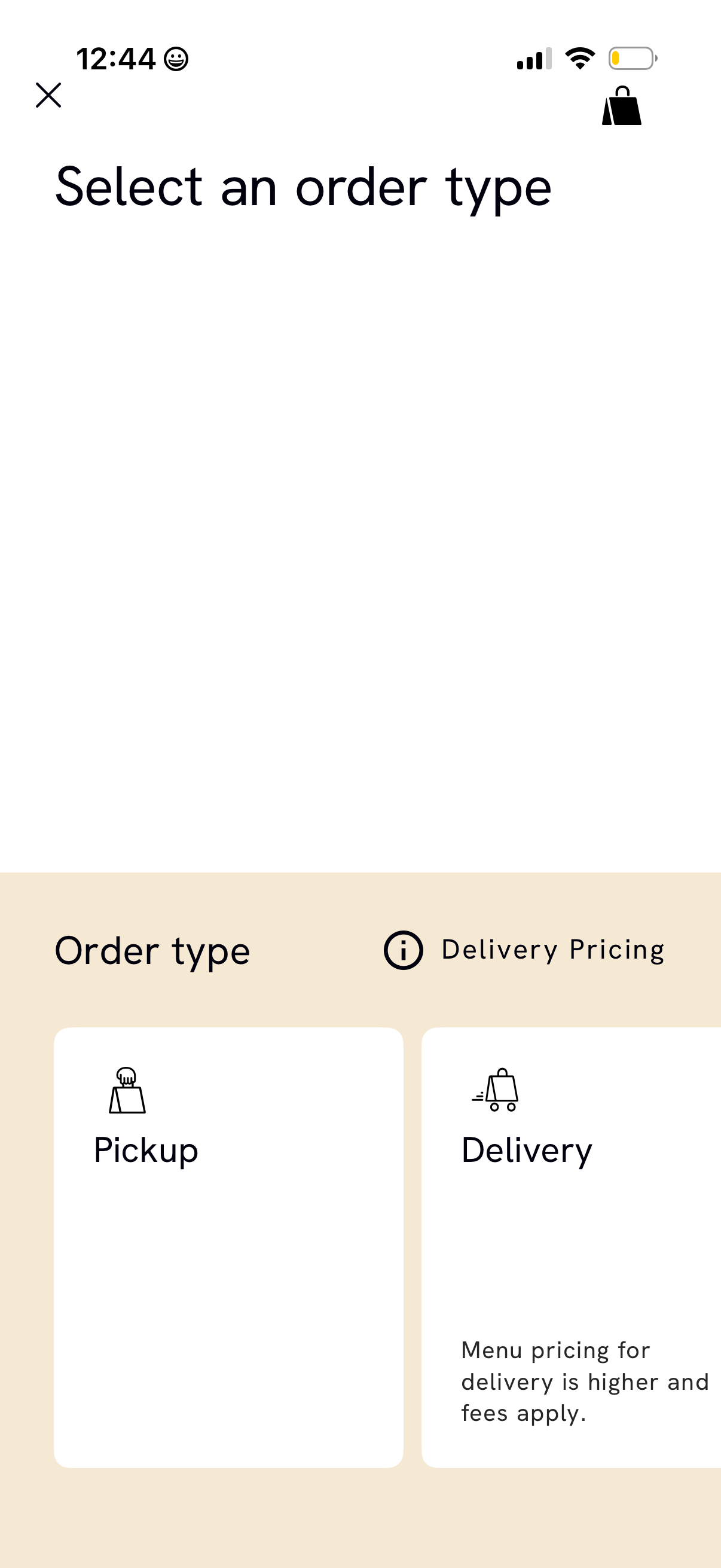
Order type selection screen in a food ordering app prompting users to choose between Pickup or Delivery. Includes an info link for delivery pricing and notes that delivery has higher menu prices and additional fees, with close and bag/cart icons in the header.
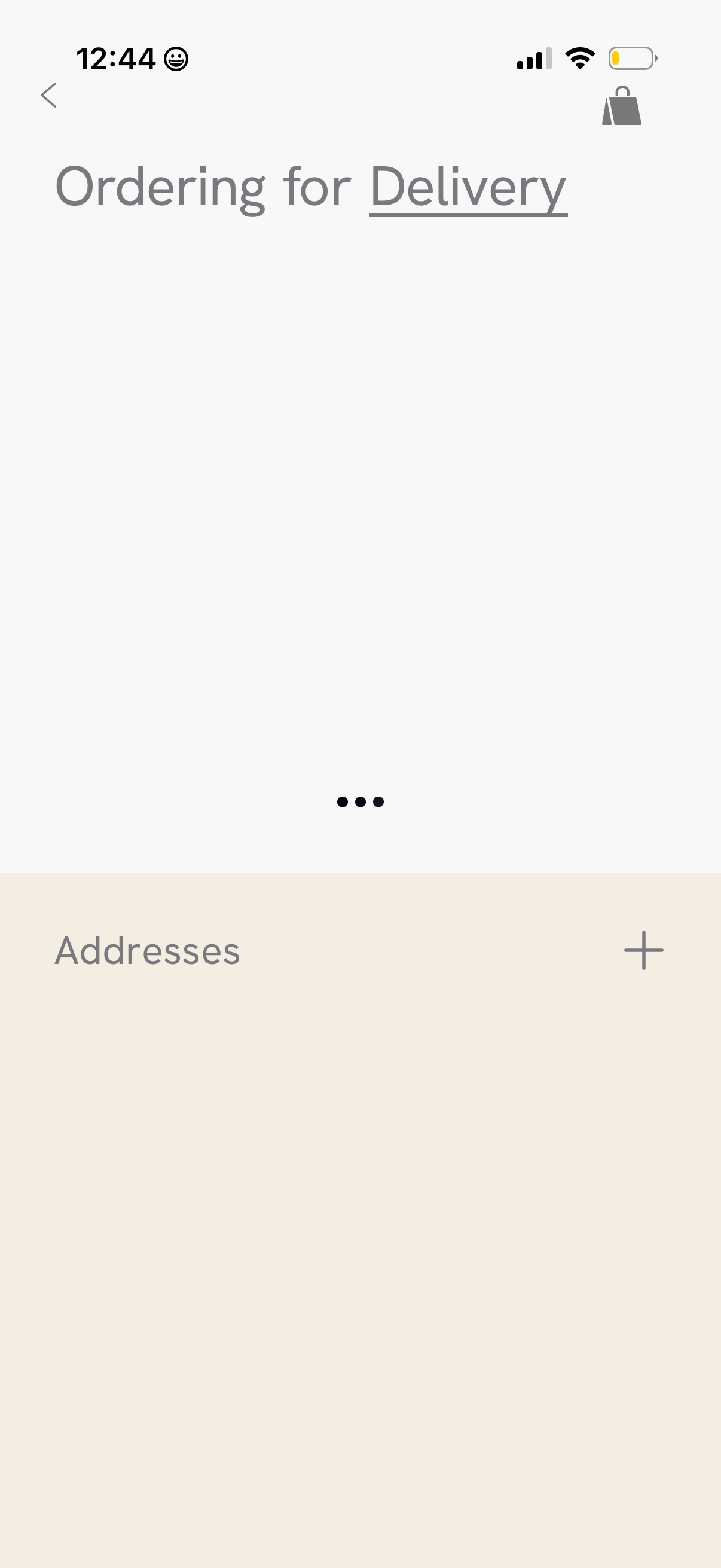
Delivery ordering settings screen focused on managing shipping addresses, with an “Addresses” section and a plus button to add a new address. Includes back navigation and a cart/bag icon for returning to the shopping cart.
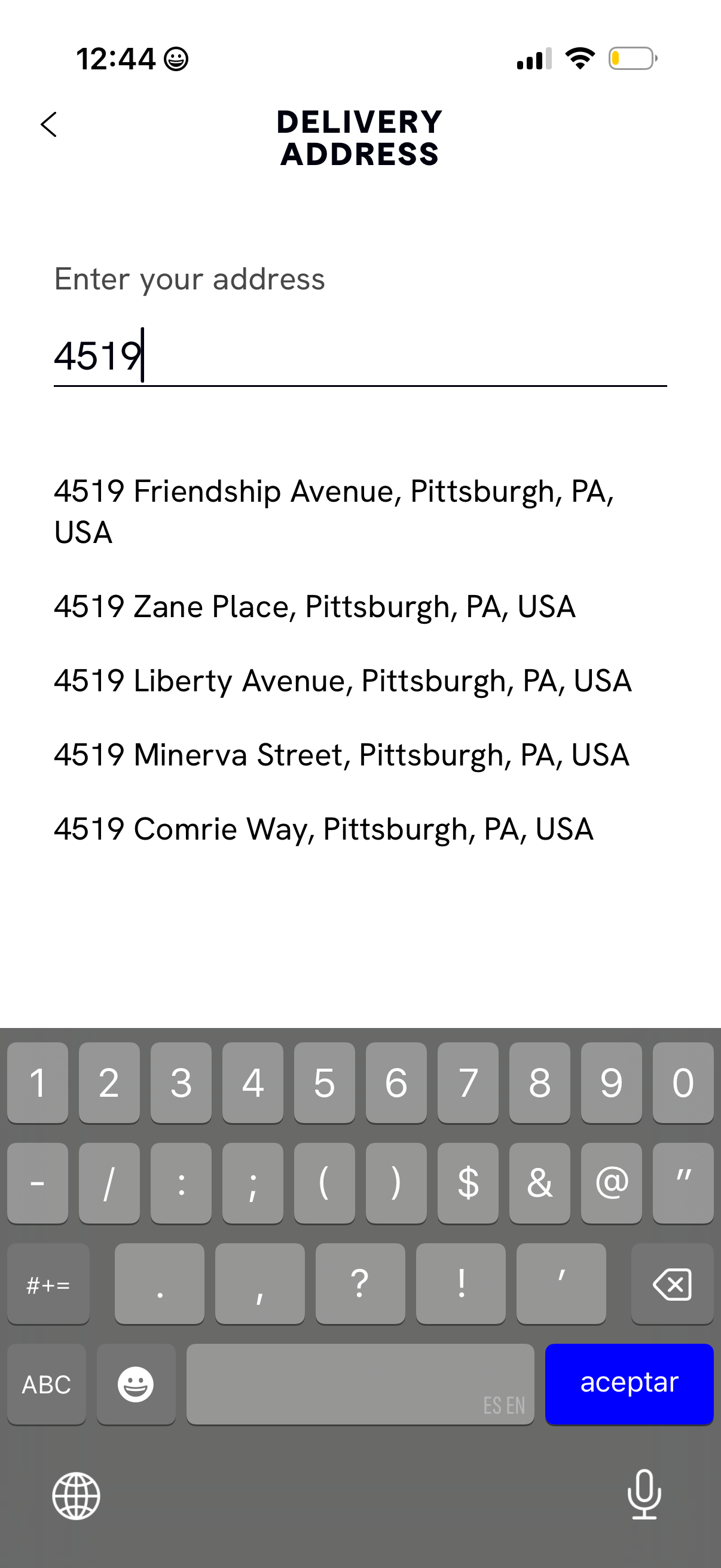
Delivery address entry screen with a single text field for typing an address and an autocomplete list of suggested matches below to select the correct location for shipping or delivery. Includes a back navigation control and focuses on searching by street number/address.
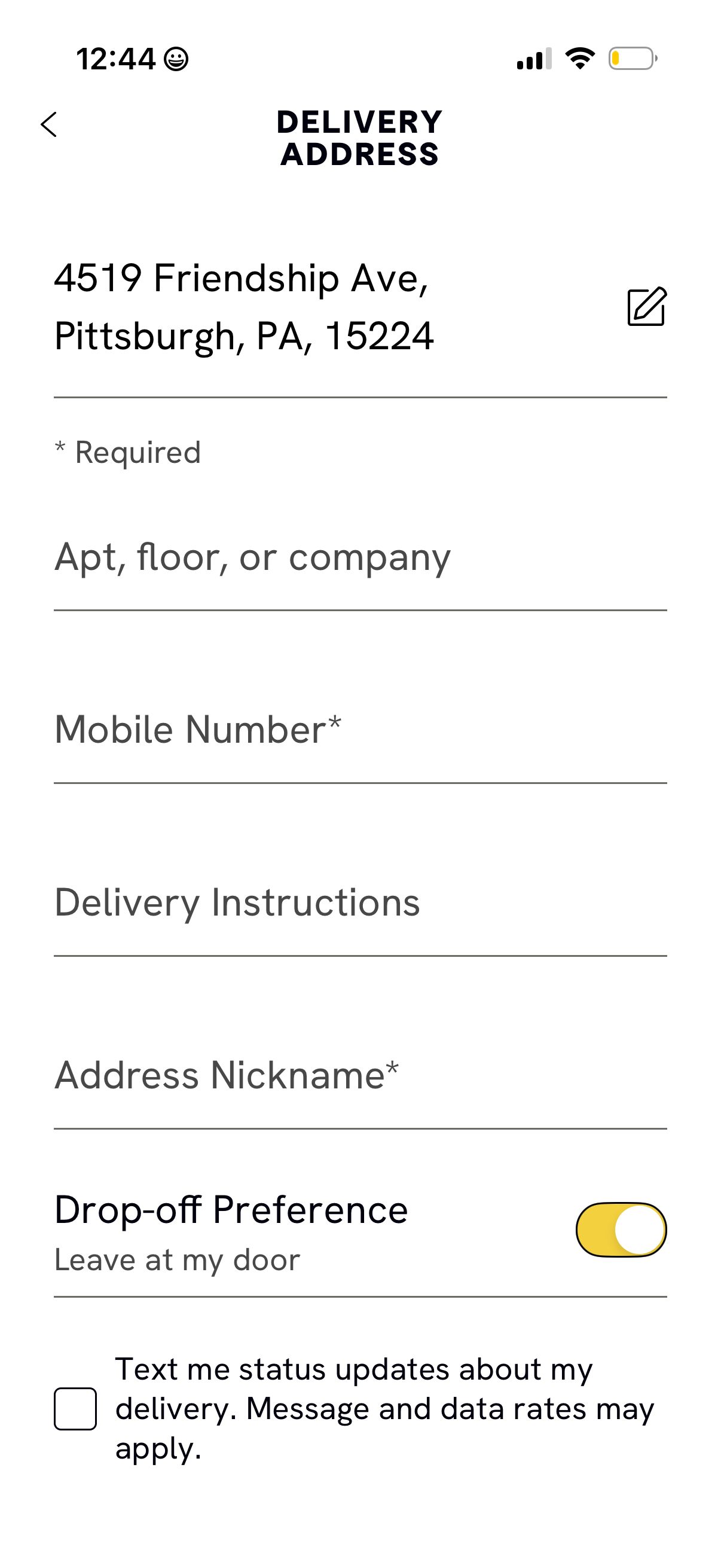
Delivery address form screen for a checkout flow, showing the selected address with an edit option and fields to add apartment/floor/company, required mobile number, delivery instructions, and an address nickname. Includes a drop-off preference toggle (e.
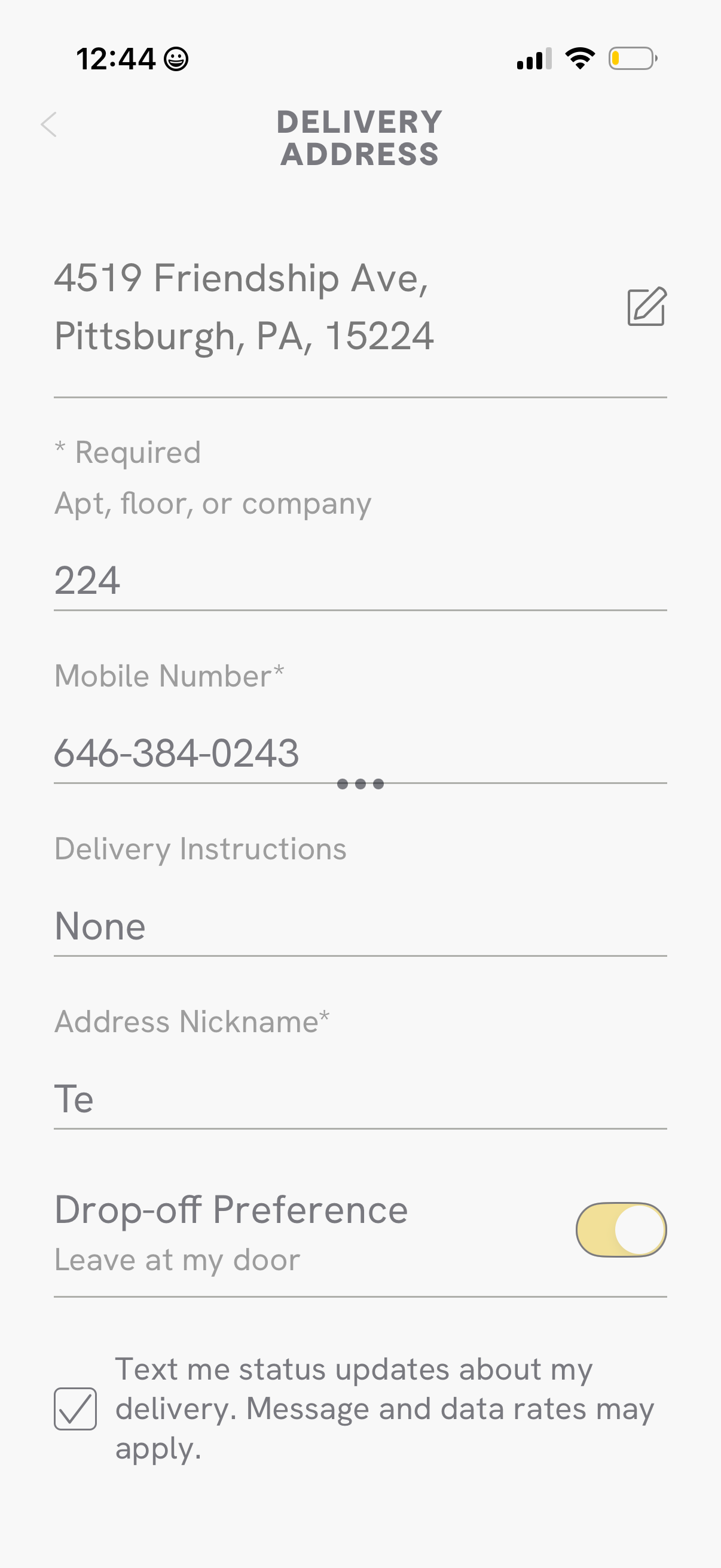
Delivery address form screen for a checkout flow where users edit their address and enter apartment/floor, required mobile number, delivery instructions, and an address nickname. Includes a toggle for drop-off preference (leave at my door) and a checkbox to opt in to SMS delivery status updates.
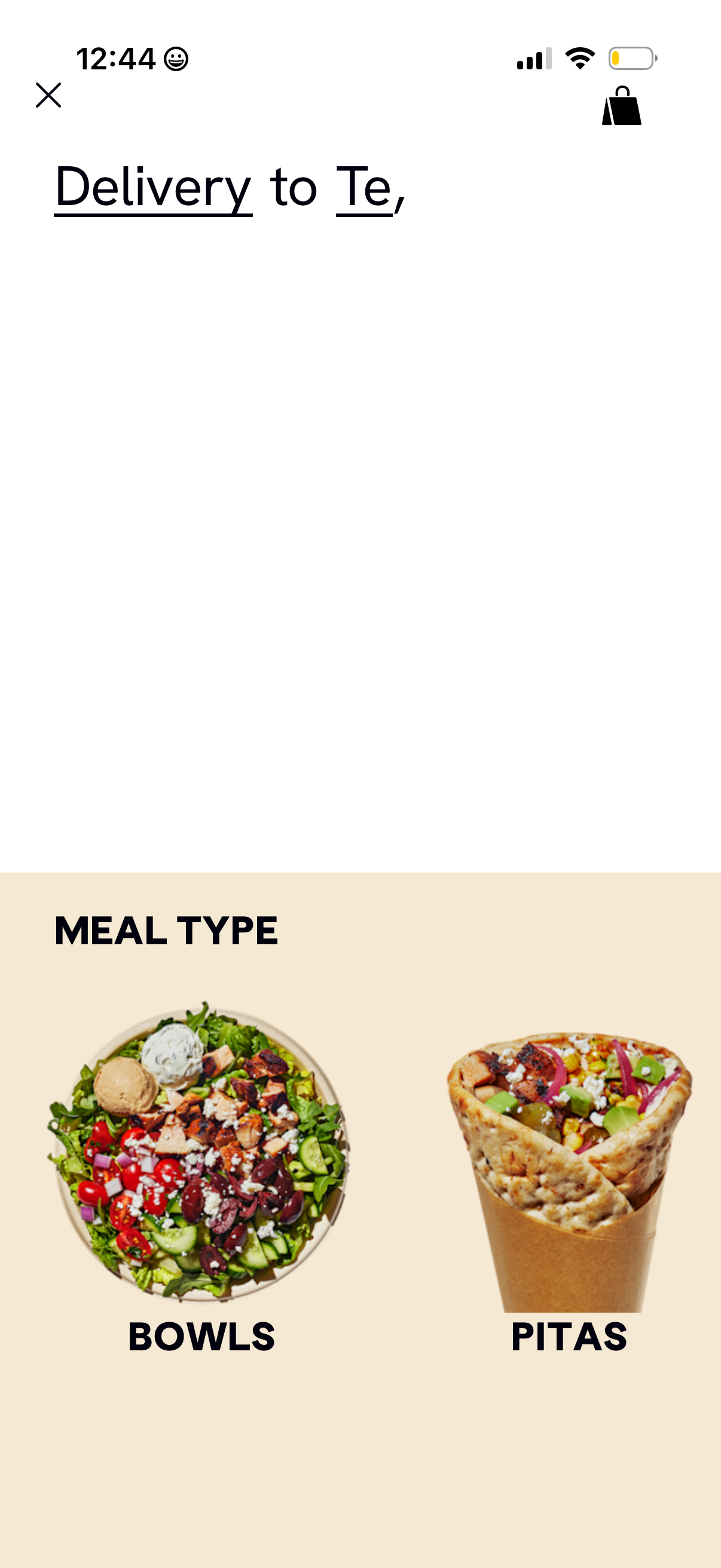
Food delivery app browse screen that lets users choose a meal type category for delivery to a specified address. The page highlights large image tiles for selecting between Bowls and Pitas, with close/back and cart icons in the header.
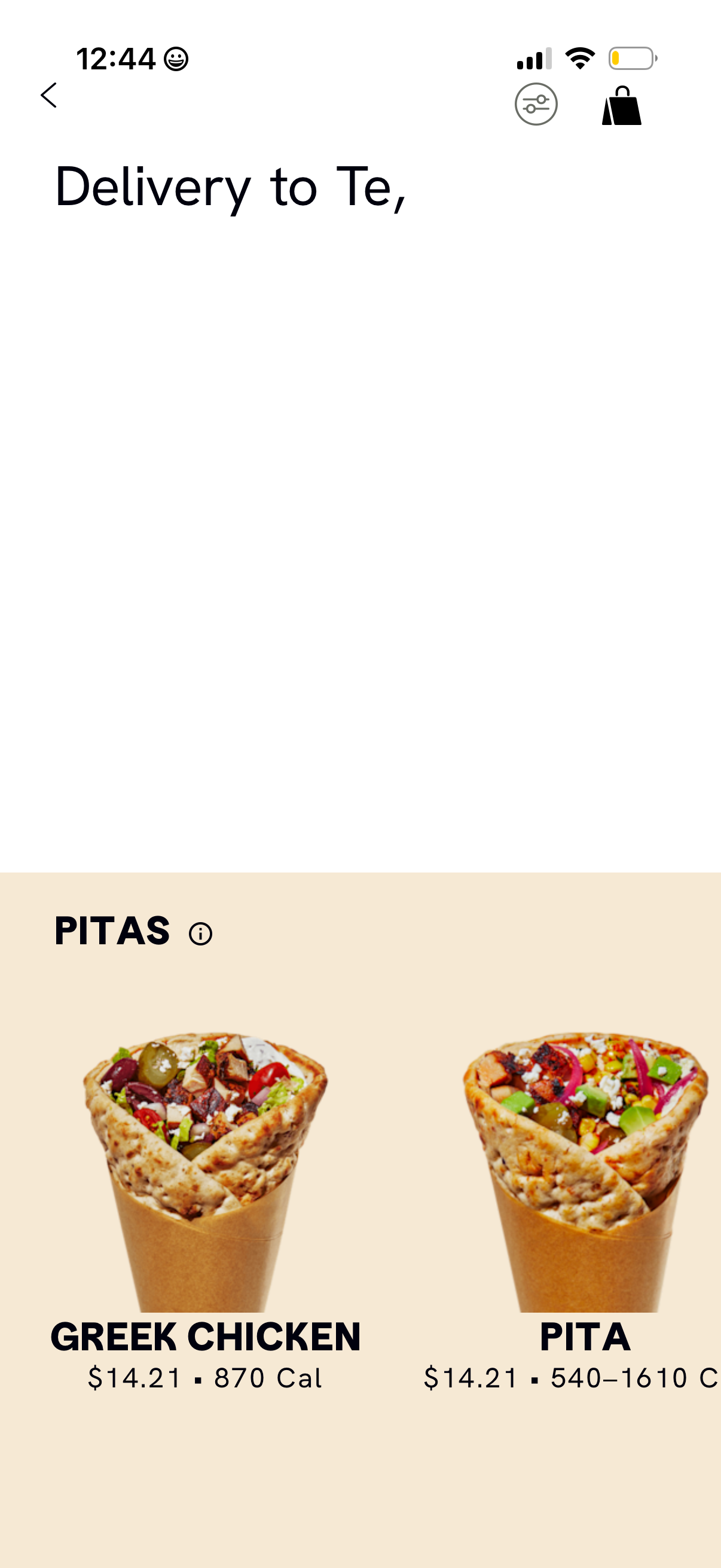
Food delivery restaurant menu screen showing the “Pitas” category with large item photos and cards displaying product name, price, and calorie count. Includes navigation back, a filter/sort control, and a cart icon for viewing the current order.
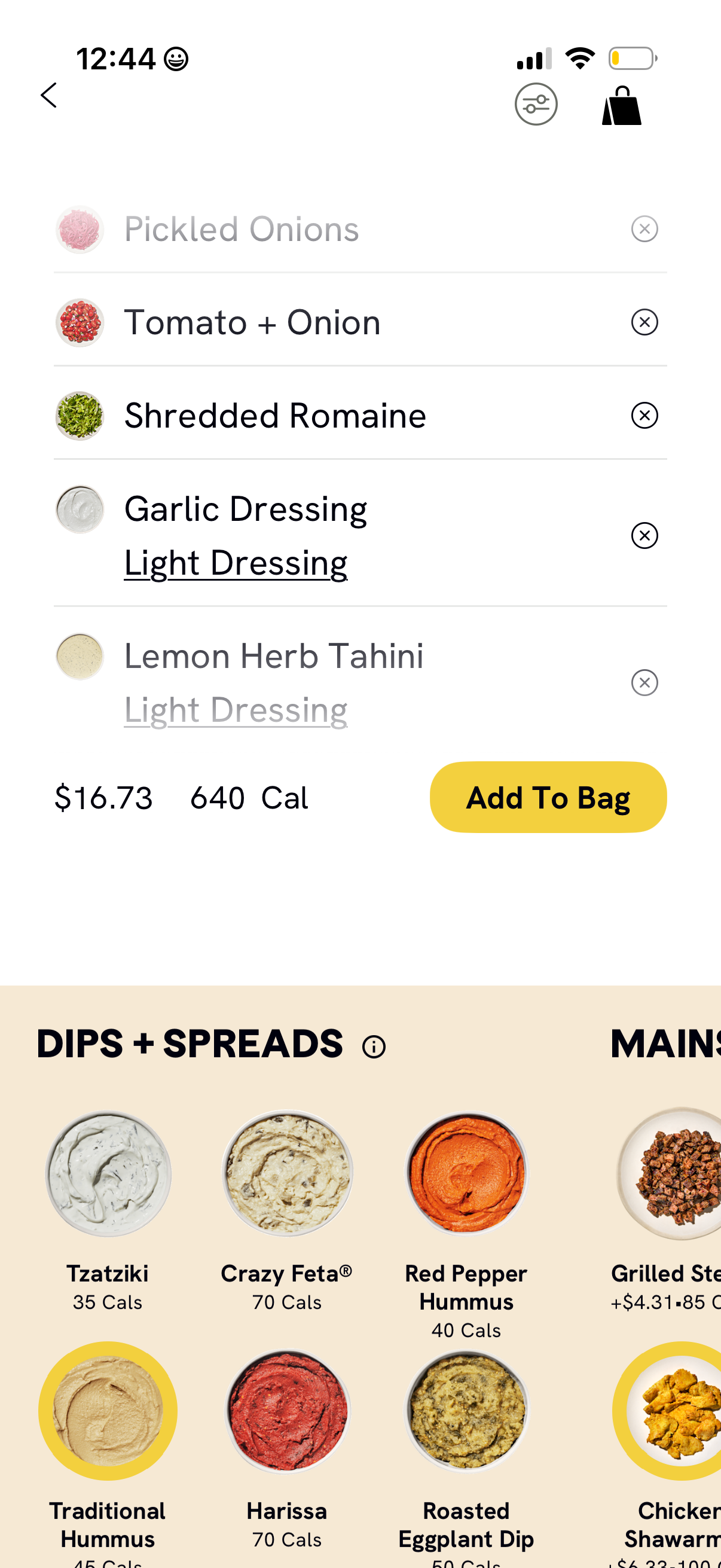
Food ordering customization screen for a bowl or salad showing selected toppings and dressings with options to remove items, adjust to light dressing, and view updated price and calories. Includes filter and bag icons plus an “Add To Bag” button, and a scrollable menu section for choosing dips and spreads with calorie counts.
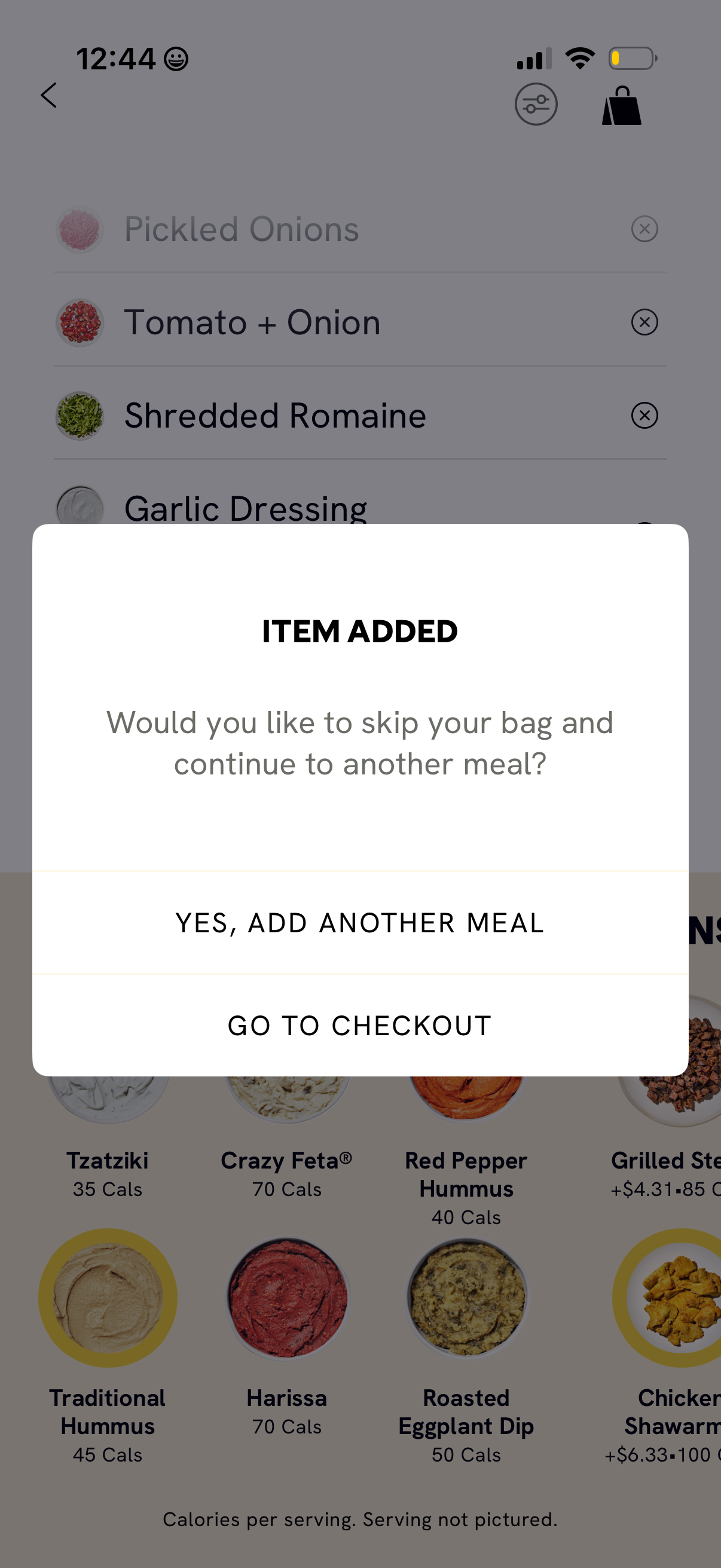
Food ordering app modal confirmation after an item is added, asking whether to skip the bag/cart and continue building another meal or proceed to checkout. Popup provides primary actions to “add another meal” or “go to checkout” over a menu customization screen.
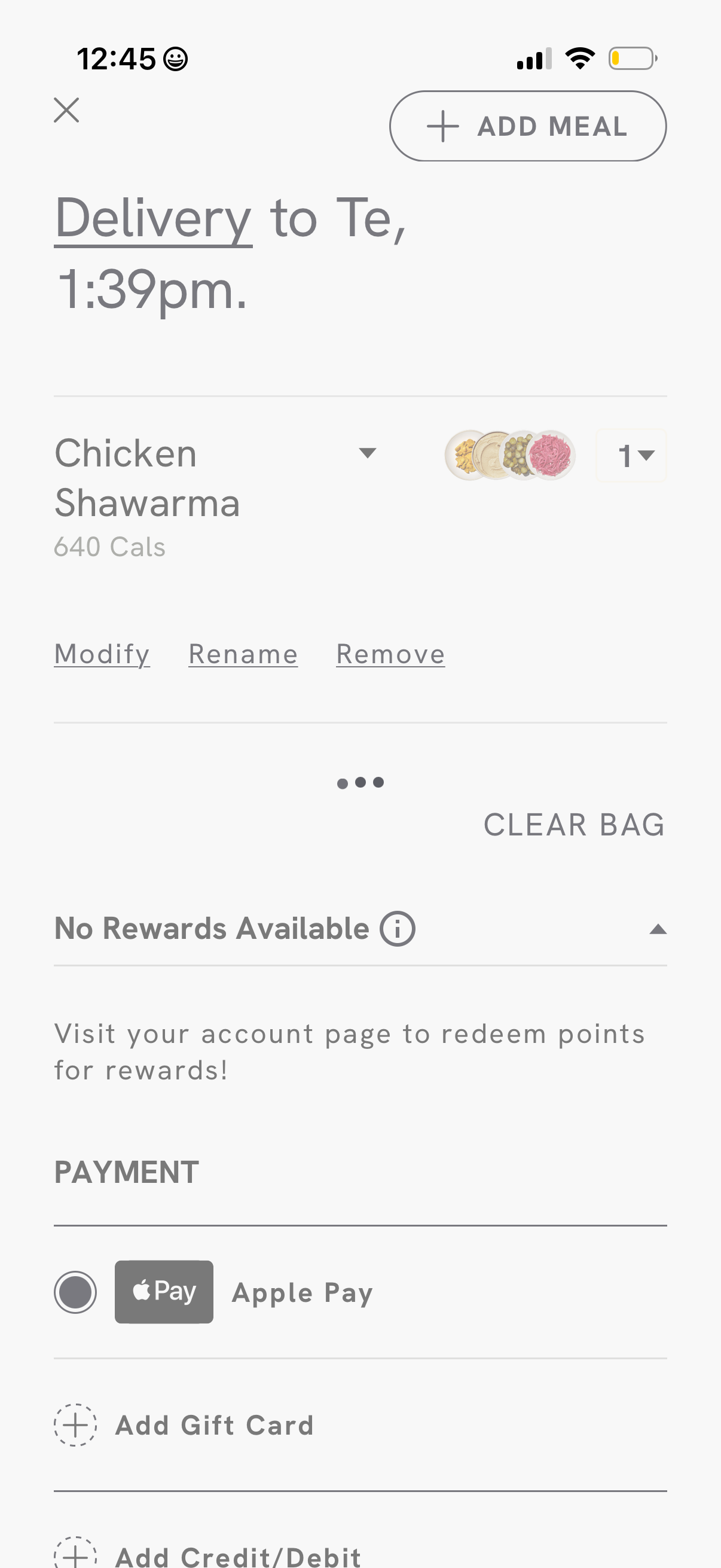
Food delivery checkout screen showing the delivery recipient and ETA, an order item with calories, quantity selector, and actions to modify/rename/remove the item or clear the bag. Includes rewards status and payment options with Apple Pay plus links to add a gift card or credit/debit card.
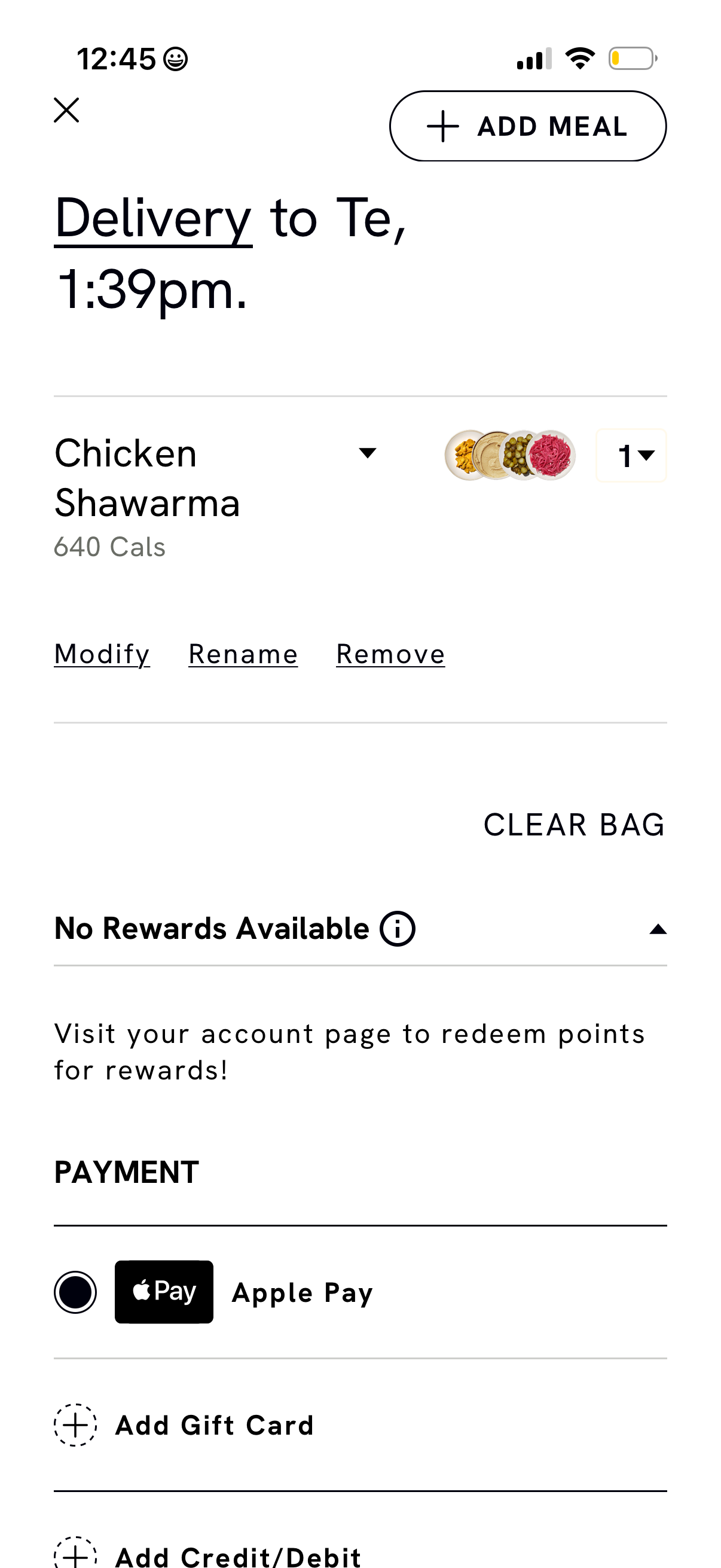
Food delivery bag and checkout screen showing delivery time, an item in the cart with calories, quantity selector, and actions to modify, rename, or remove, plus options to add another meal or clear the bag. Includes rewards status and payment section with Apple Pay selection and options to add a gift card or credit/debit card.