adjust playback settings
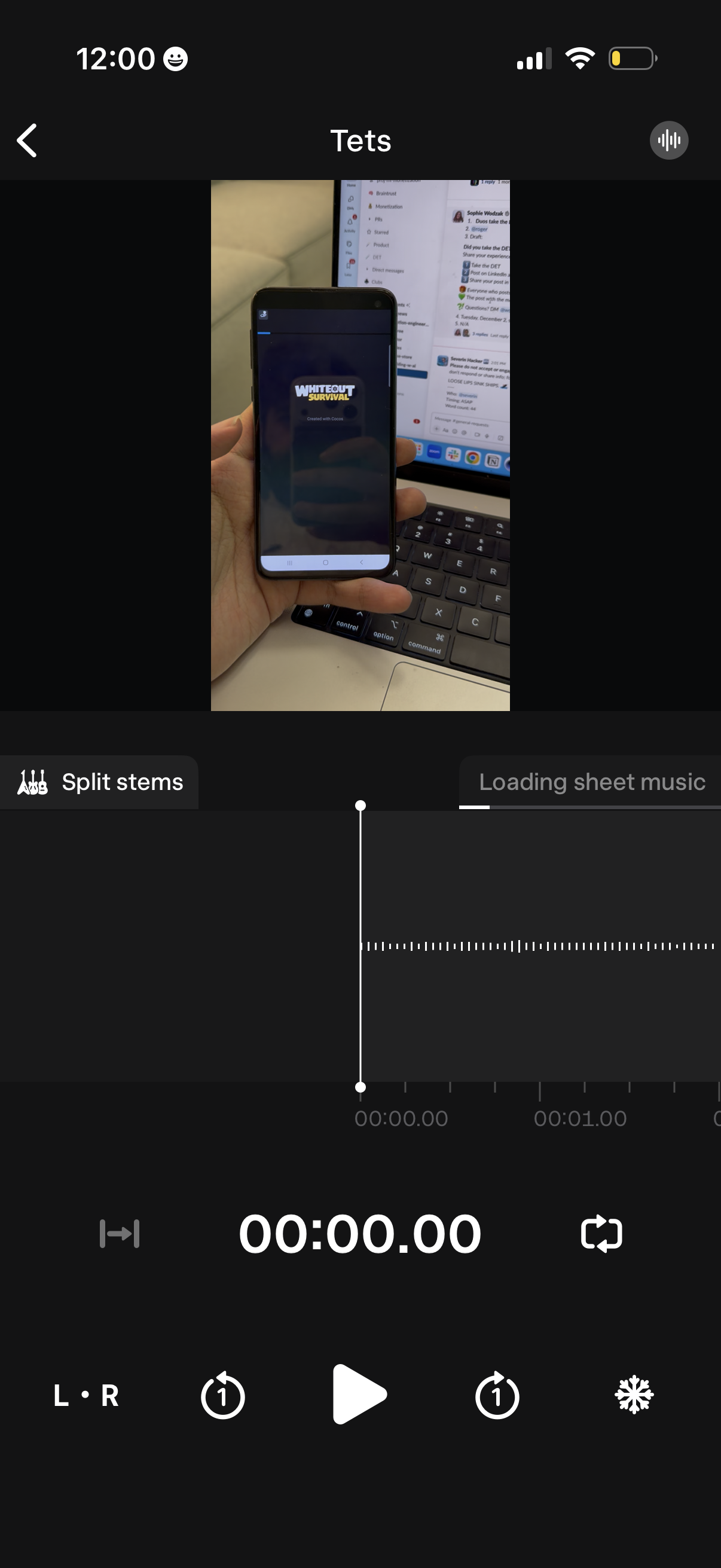
Audio stem-splitting editor screen showing a video preview at the top, a waveform timeline with a playhead and timecode, and playback controls for play/pause, skip/seek, and loop sections. Includes a “Split stems” action and a loading indicator for generating sheet music from the audio.
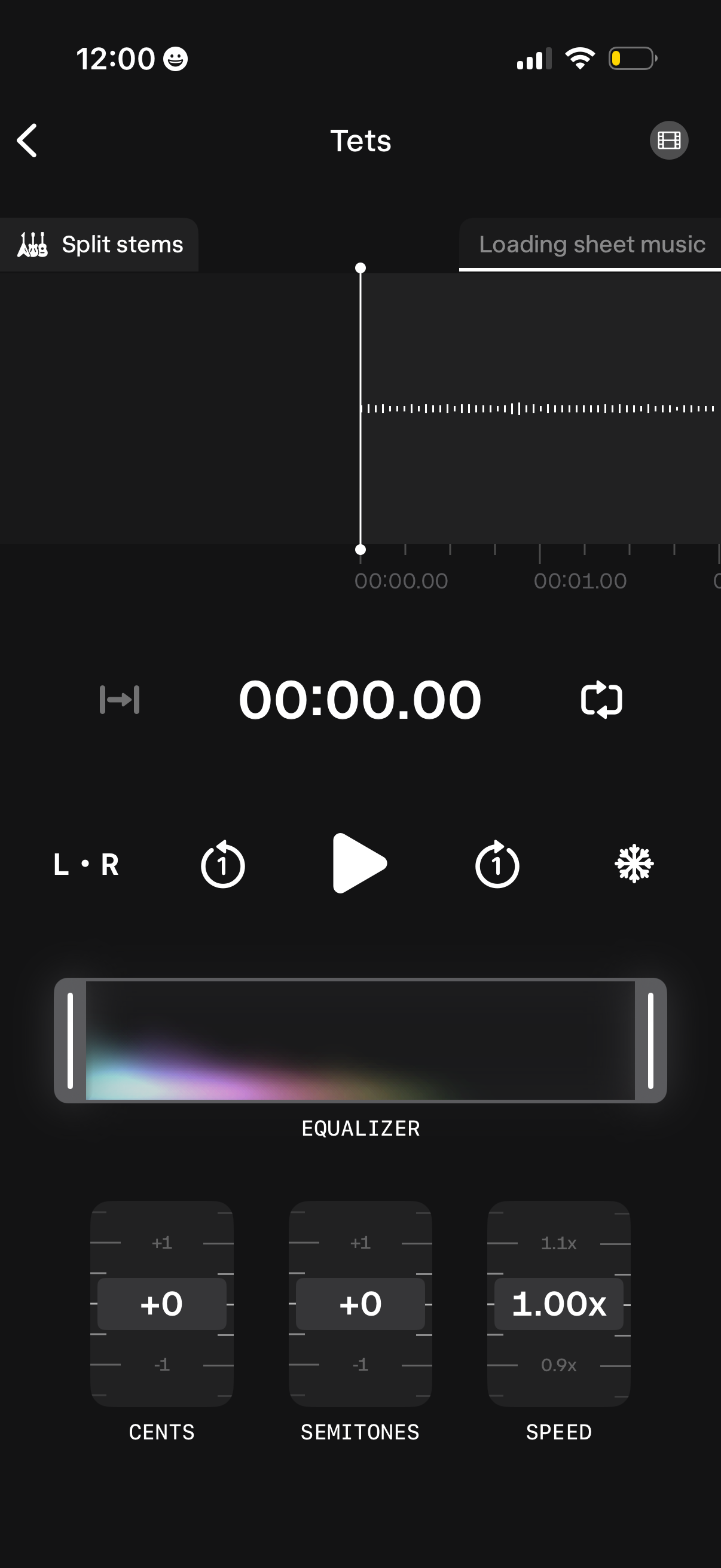
Audio player and practice editor screen showing a waveform timeline with a playhead, loop/repeat controls, left/right channel toggle, and a “split stems” option while sheet music loads. Includes an equalizer panel plus sliders/knobs to adjust pitch in cents and semitones and change playback speed.
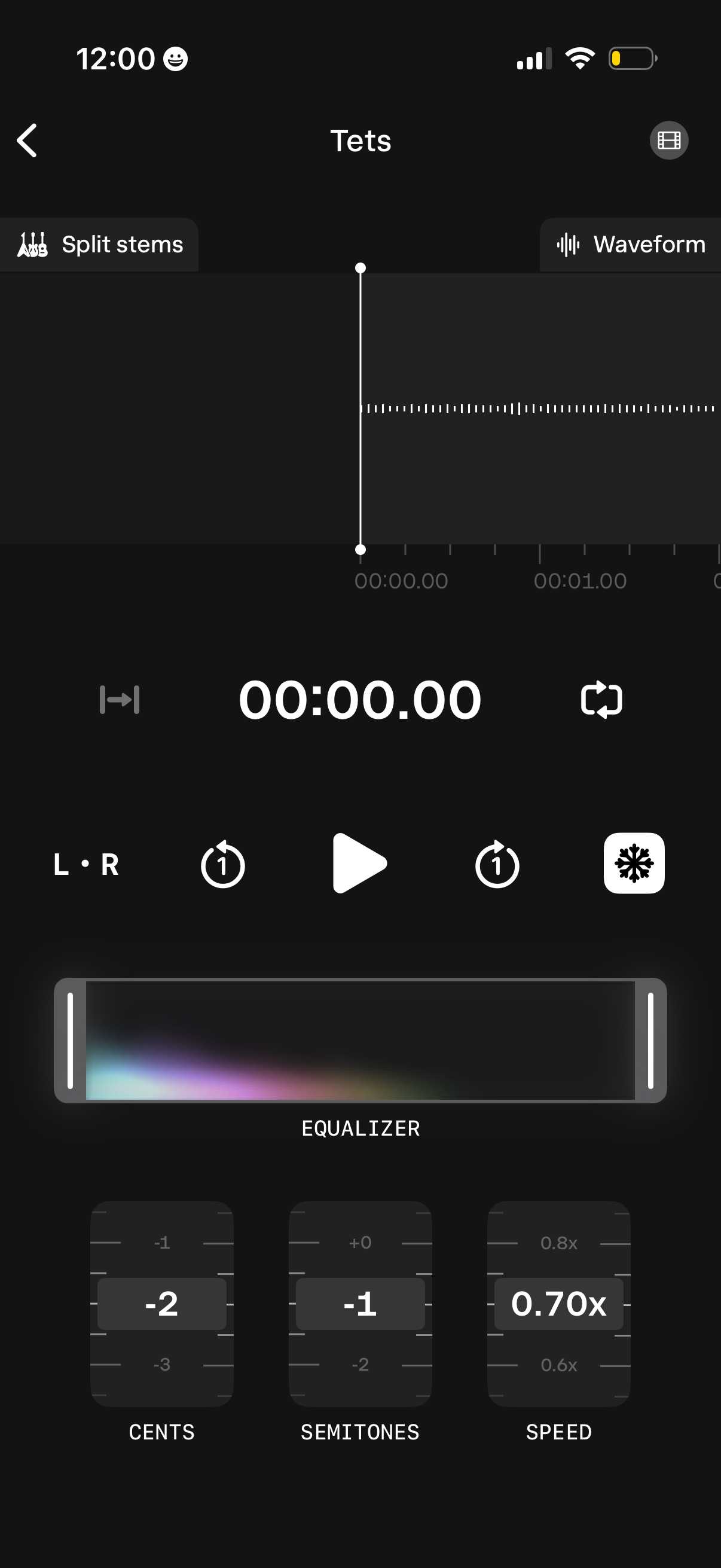
Audio player and editor screen showing a waveform timeline with a playhead and time counter, plus playback controls for play, looping, and skip. Includes options to split stems, switch waveform view, adjust left/right balance, apply an equalizer, change pitch in cents and semitones, and control playback speed.
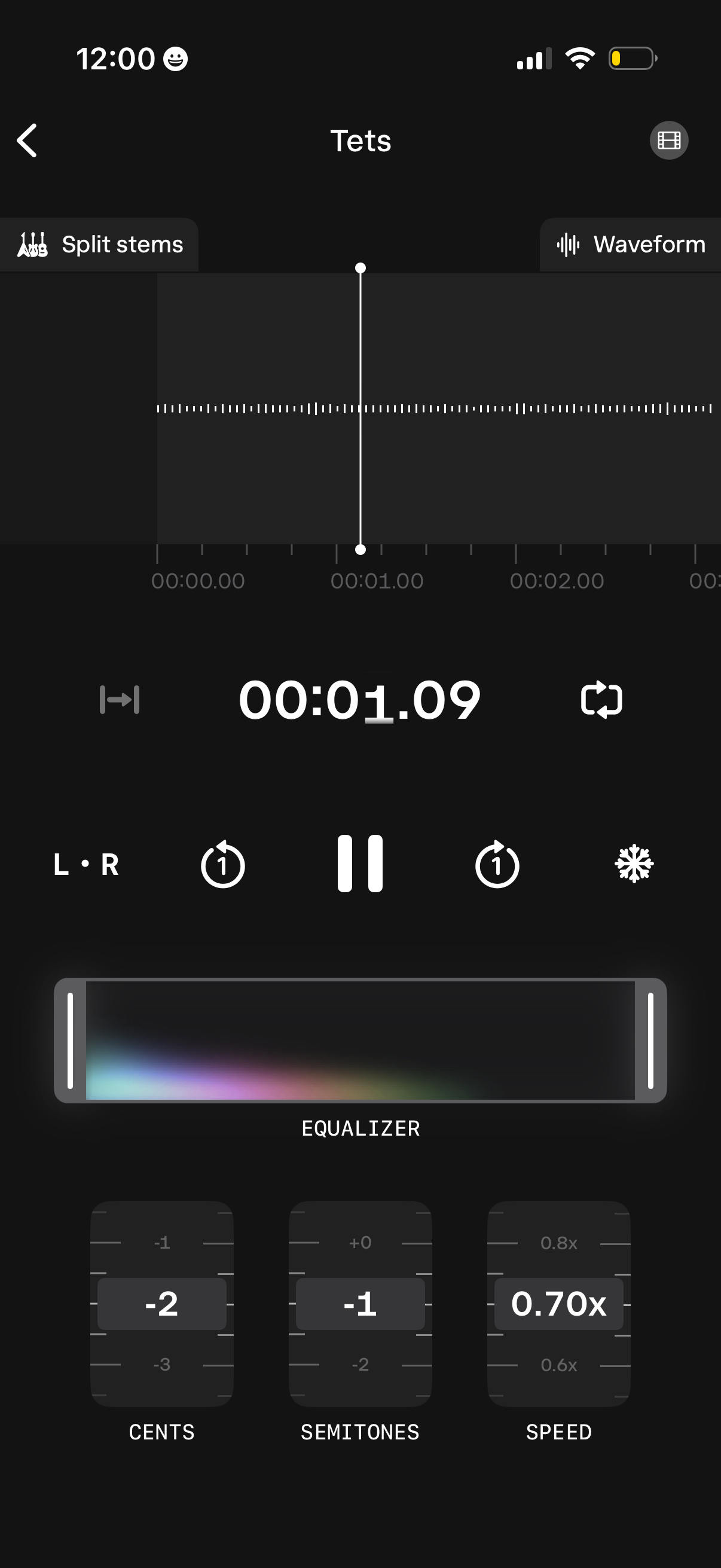
Audio track playback and editing screen with a waveform timeline scrubber, current time display, and play/pause plus loop and L/R controls. Includes tools to split stems, adjust EQ, change pitch in cents and semitones, and modify playback speed with dial-style controls.